

Create your first AroFlo lead form
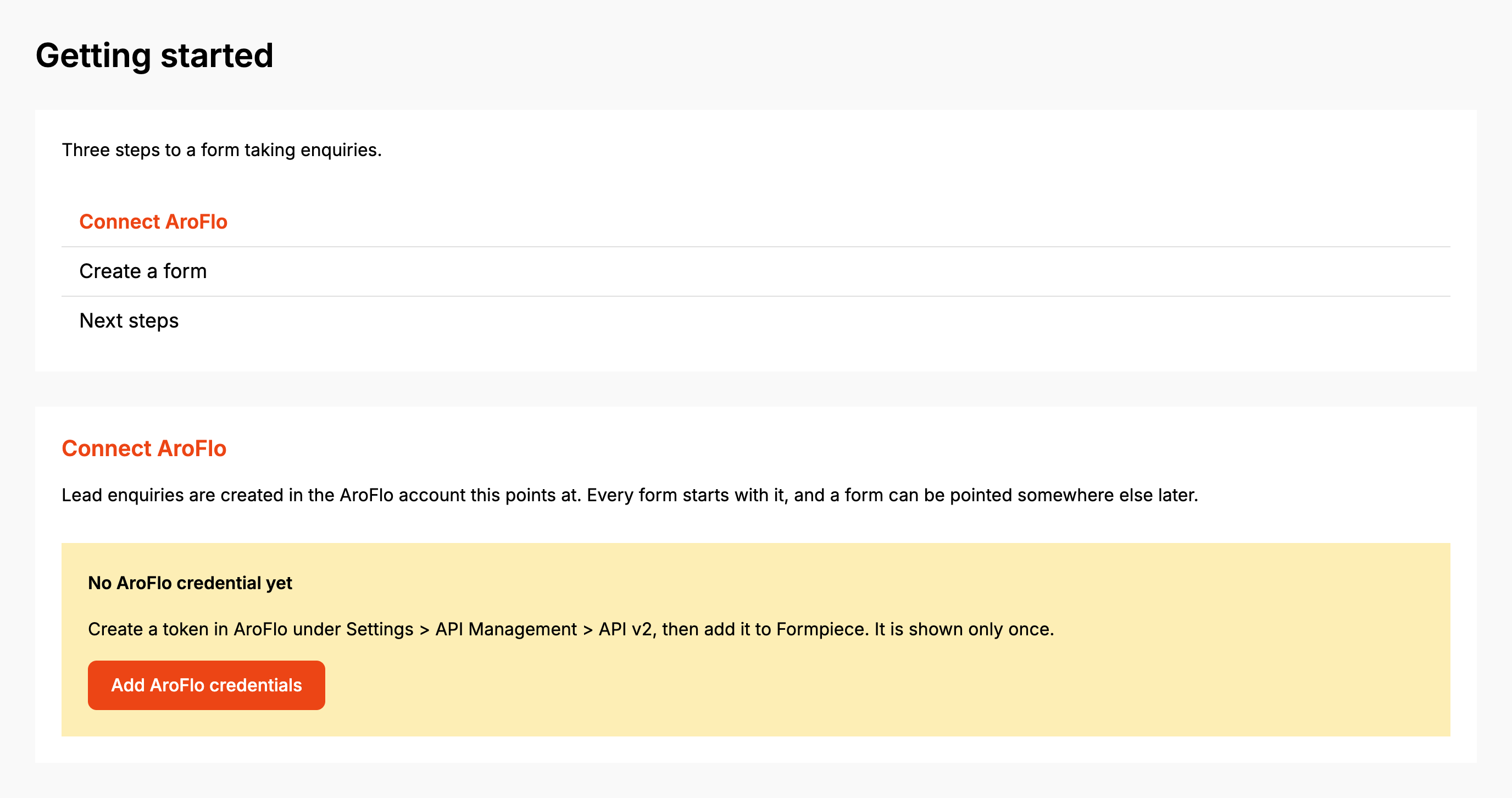
Open AroFlo Leads in the dashboard. Until the account has an AroFlo credential and at least one form, the Dashboard page shows Getting started in place of the dashboard: three steps, Connect AroFlo, Create a form and Next steps.
Before you start
- You need an AroFlo API token. The dashboard's own help says to create it in AroFlo under Settings > API Management > API v2, and that AroFlo shows it only once, so copy it straight away.
- The free plan includes one AroFlo lead form. A lead form subscription removes the limit, and one subscription covers both the Simpro and AroFlo lead forms.
Step by step
-
Open AroFlo Leads, then Dashboard.
-
Under Connect AroFlo, if you see No AroFlo credential yet, click Add AroFlo credentials. Paste the token into AroFlo API Token, enter the Token expires date AroFlo shows against it, and click Save. Then come back to AroFlo Leads.
-
Pick the credential under AroFlo account and click Continue. This sets the account's AroFlo credential, the same one you can change later under Settings.
-
Under Create a form, type a Form name. Only you see it.
-
Under An enquiry creates a, choose Task or Quote.
-
Click Create the form.
-
Under Next steps, click Open the builder to choose what the form asks for. The other two buttons go to the form's Notifications and to Get the embed code.
If the account already has a credential, Getting started opens on Create a form.
A new form isn't on your website yet. The form is published the first time you save it, so save it in the builder or on any settings page before you paste the embed code.
Once the account has a credential and a form, the page becomes the dashboard.
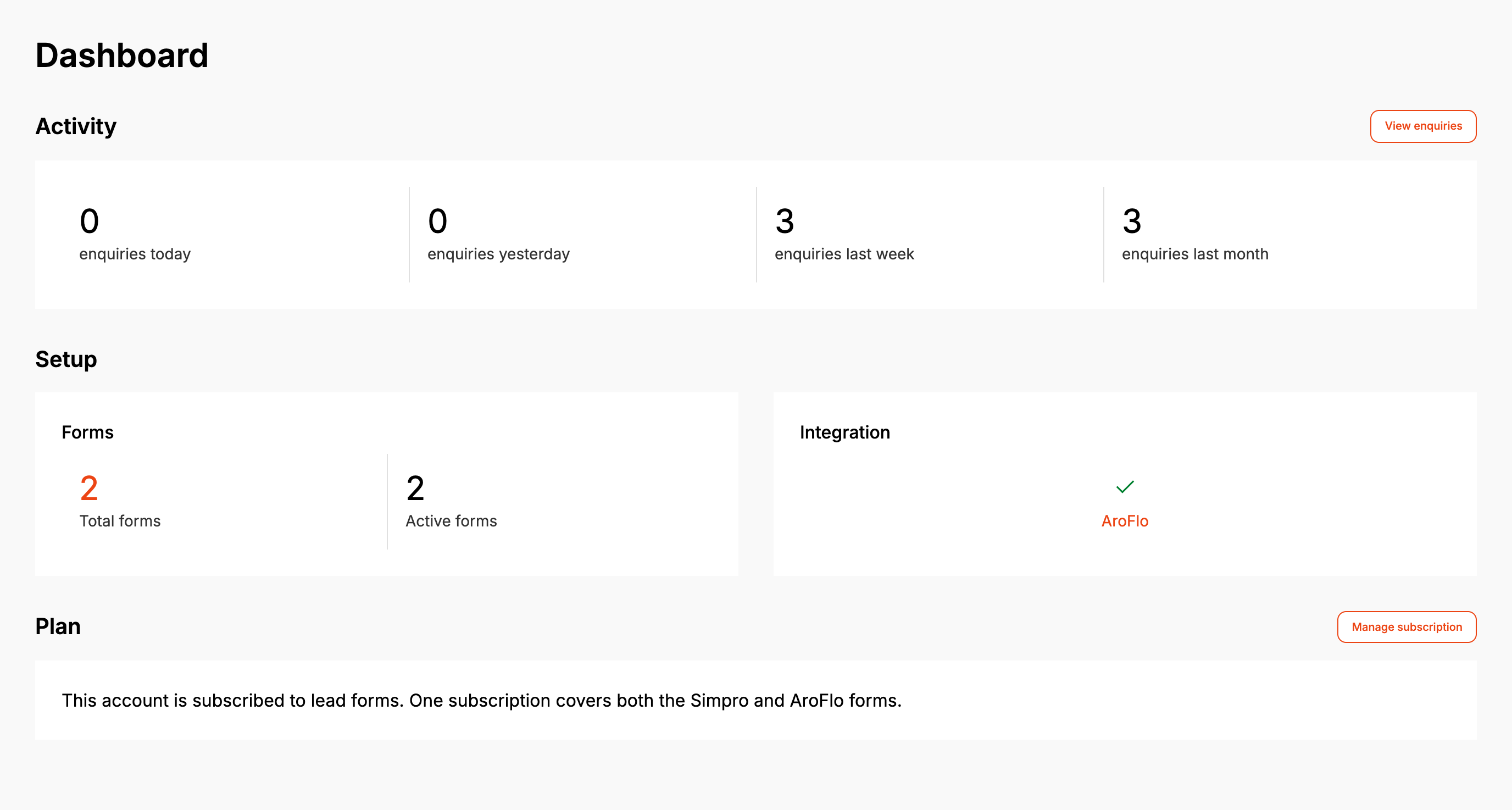
- Activity counts enquiries for today, yesterday, the last week and the last month. View enquiries opens the full list.
- When any enquiry from the last month has no AroFlo task or quote and has an error against it, a panel above Activity says how many did not reach AroFlo, with a Review them button.
- Total forms counts every form, archived ones included. Active forms counts the forms that have taken at least one enquiry.
- Integration shows a tick when the account has an AroFlo credential selected. Click AroFlo to change it.
- Plan says whether the account is subscribed. Manage subscription opens billing.
When it goes wrong
Getting started asks me to connect AroFlo but there is nothing to pick
The AroFlo account list only shows credentials created against AroFlo. Click Add AroFlo credentials, save the token, and come back.
"Could not save the AroFlo credential. Please try again."
The credential couldn't be saved to the account. Try Continue again. If it keeps failing, set it from Settings, then AroFlo Credentials (see AroFlo credentials).
"The free plan includes one AroFlo lead form. Subscribe to add more."
The account has no lead form subscription and already has a form. Archived forms count towards the one. Subscribe from Manage subscription, or use the form you have.
"... already exists"
Another form on the account already has that name. Pick a different Form name.
Getting started is still showing after I picked a credential
Getting started shows until the account has both a credential and a form. If your account already had a form, reload the page after Continue and the dashboard appears.
The dashboard says an enquiry did not reach AroFlo
Click Review them and open the enquiry. Its AroFlo panel says what AroFlo refused (see Enquiries).
FAQ
Can I change Task or Quote later?
Yes. It is on the form's Default Fields page. See Default Fields.
Why does Active forms say 0 when my form is live?
Active forms counts forms that have taken an enquiry. A live form that nobody has submitted yet isn't counted.
