

Choose whether an enquiry becomes an AroFlo task or quote
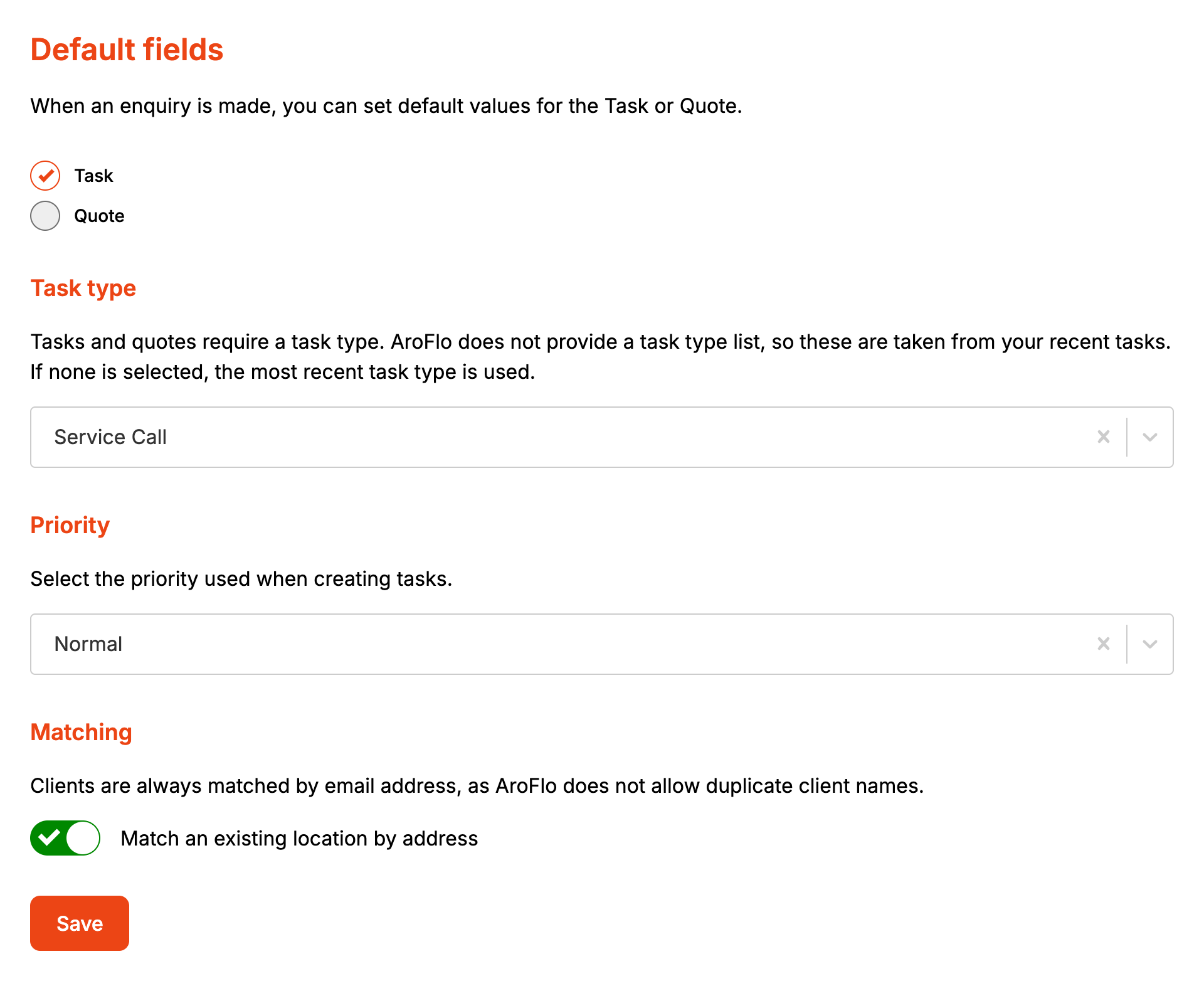
AroFlo has no lead record, so Default Fields decides what every enquiry from this form becomes: a task or a quote. It also sets the task type and priority applied to every enquiry, and whether a repeat customer's address reuses a location the client already has.
Before you start
- The task type and priority lists are read live from AroFlo, so the account needs an AroFlo credential. See AroFlo credentials.
- AroFlo's API has no list of task types. The dashboard reads them off up to 200 of the account's existing tasks, so a task type only appears once a task in AroFlo uses it.
- Matching an existing location needs a Lead form subscription. The switch shows on every plan, but without a subscription every enquiry with an address creates a new location.
Step by step
-
Open your form from Forms. If it opens in Form UI, switch to Config. Then open Settings, then Default Fields.
-
Pick Task or Quote.
-
For a quote, type a Default Quote name. AroFlo won't raise a quote without a name, and this is the name used when the customer isn't asked for one or leaves it blank.
-
Pick a Task type. Quotes need one too.
-
Pick a Priority. It only applies to tasks.
-
Leave Match an existing location by address on to reuse a location the client already has at that address. Switch it off to create a new location for every enquiry.
-
Click Save.
How it maps to AroFlo
Formpiece creates the records in order: the client, the location, the contact, then the task or quote, which is linked to the other three.
| Setting | Task | Quote |
|---|---|---|
| Name | The Summary the customer typed, or "Website enquiry" | The Summary the customer typed, or the Default Quote name |
| Task type | The task's task type | The quote's task type |
| Priority | The task's priority | Not sent |
| Business unit from Properties | The task's business unit | The quote's business unit |
| Notes from Task Fields | A note on the task | Added to the end of the quote's description |
With no Task type picked, Formpiece asks AroFlo for one task and uses that task's type. If the account has no tasks, the task or quote is sent without a type and AroFlo refuses it.
Clients are always matched by email address, on every plan. See Client Fields. How a location is matched is set on Location Fields.
When it goes wrong
"A quote form needs a Default Quote name."
The form is set to Quote and Default Quote name is empty. Type a name and save again.
The task type list is empty
"No task types were found on your recent AroFlo tasks. Create a task in AroFlo and it will appear here." The account has no tasks for the dashboard to read the types from. Create a task in AroFlo with the task type you want, then reopen this page.
"Task types could not be loaded" or "Priorities could not be loaded"
AroFlo's own message shows in bold above the line. "The AroFlo API could not be reached." means the call never got an answer. Check the credential on the AroFlo settings page, including the token's expiry date.
A failed enquiry can't be sent again
The enquiry page won't resend while the form has no task type. It says "This form has no task type, and AroFlo will not accept the enquiry without one. Select a task type before sending it again." and offers Fix Task Type. Pick a task type here, click Save, then go back to the enquiry and click Send to AroFlo again.
An enquiry failed with a taskTypeId or priorityId error
AroFlo refused the value the form sent. Under "What AroFlo said" on the enquiry, the error has a Fix Task Type or Fix Priority button that opens this page.
Enquiries arrive as the wrong task type
No task type is picked, so each enquiry takes the type of whichever task AroFlo lists first. Pick a Task type and save.
Quotes ignore the priority
Formpiece only sends the priority with a task.
Every enquiry creates a new location
Either the account has no Lead form subscription or Match an existing location by address is off. With both in place, an address that still doesn't match is covered on Location Fields.
FAQ
Can I turn off client matching?
No. "Clients are always matched by email address, as AroFlo does not allow duplicate client names." A customer whose email matches an existing client is always filed against that client.
Can one form create both tasks and quotes?
No. Each form creates one or the other. Make a second form for the other.
