

Add a contact to the AroFlo client from each enquiry
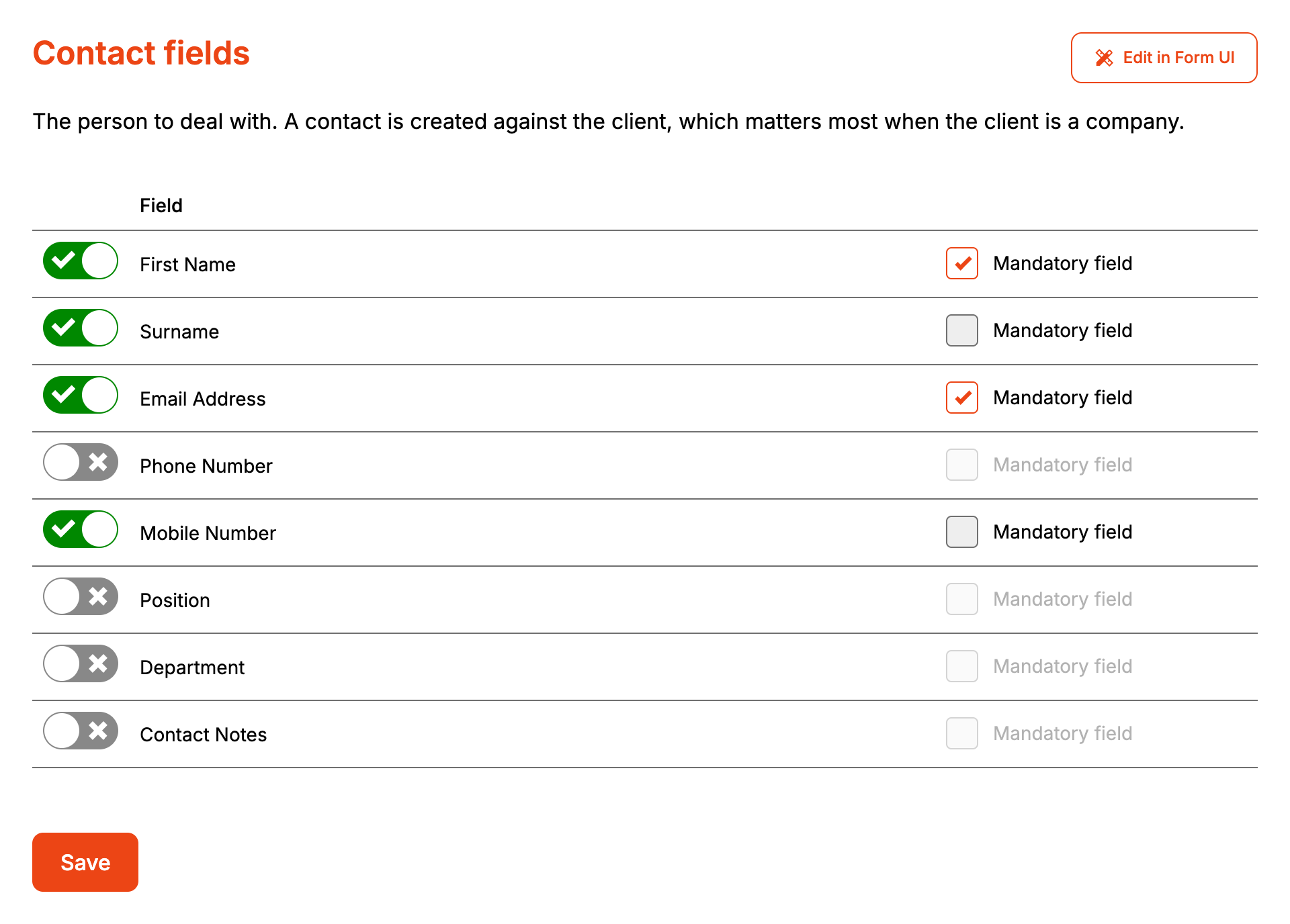
Contact Fields asks for the person to deal with about the job. When the customer fills any of them in, Formpiece adds a contact to the AroFlo client and links it to the task or quote. On the form these fields sit under "Contact". Rename it under Styles, then Headings and labels, then Contact: Title.
Before you start
- This page has no custom fields section. Formpiece can't read contact custom fields from AroFlo.
- The contact section asks for a name and email again after Client Fields. Leave every contact field off if one set is enough, and no contact is created.
Step by step
-
Open your form from Forms. If it opens in Form UI, switch to Config. Then open Settings, then Contact Fields.
-
Switch on each field the form should ask for.
-
Tick Mandatory field on each one the customer has to fill in. The box only ticks once the field is switched on.
-
Click Save.
The section stays locked on the form until every mandatory client and location field has an answer. Until then only its heading shows. With Show inactive form sections picked under Styles, then Layout options, it also shows "Please complete the details above." Change that message under Styles, then Headings and labels, then Contact: Inactive message.
How it maps to AroFlo
Formpiece creates a contact when the customer fills in at least one of First Name, Surname, Email Address, Phone Number or Mobile Number. Position, Department or Contact Notes on their own don't create one.
The contact is added under the client the enquiry was filed against, matched or new, company or individual. Formpiece doesn't look for an existing contact first, so every enquiry with contact details adds a new one.
| On the form | New AroFlo contact |
|---|---|
| First Name | First name |
| Surname | Last name |
| Email Address | |
| Phone Number | Phone |
| Mobile Number | Mobile |
| Position | Position |
| Department | Department |
| Contact Notes | Notes |
The task or quote is linked to the contact. If AroFlo refuses the contact, the task or quote is still created without one, AroFlo's reason shows under "What AroFlo said" on the enquiry, and anyone listed for failed enquiry notifications is emailed.
When it goes wrong
A repeat client has the same contact several times
Formpiece adds a new contact on every enquiry that has contact details. It doesn't reuse a contact the client already has. Leave Contact Fields off if the client's own details are enough.
The task has no contact
Either the customer left every contact field blank or AroFlo refused the contact. Open the enquiry from Enquiries and check "What AroFlo said".
The contact section stays greyed out on the form
It waits for every mandatory field in the client and location sections. Fill those in first, or make fewer of them mandatory.
