service booking form
Schedule appointments and book quotes easier without the back-and-forth emails.
Bookings are automatically saved into Simpro so there’s no double data entry required.
Watch how a Simpro user can offer website bookings without any manual admin.
Allow customers to work within Simpro workflows. Save time, reduce admin, introduce automation.
Reduce any potential booking errors by creating a guided booking form.
By linking Pre-Builds and Calendars to your form, all booking options are automatically entered into Simpro.
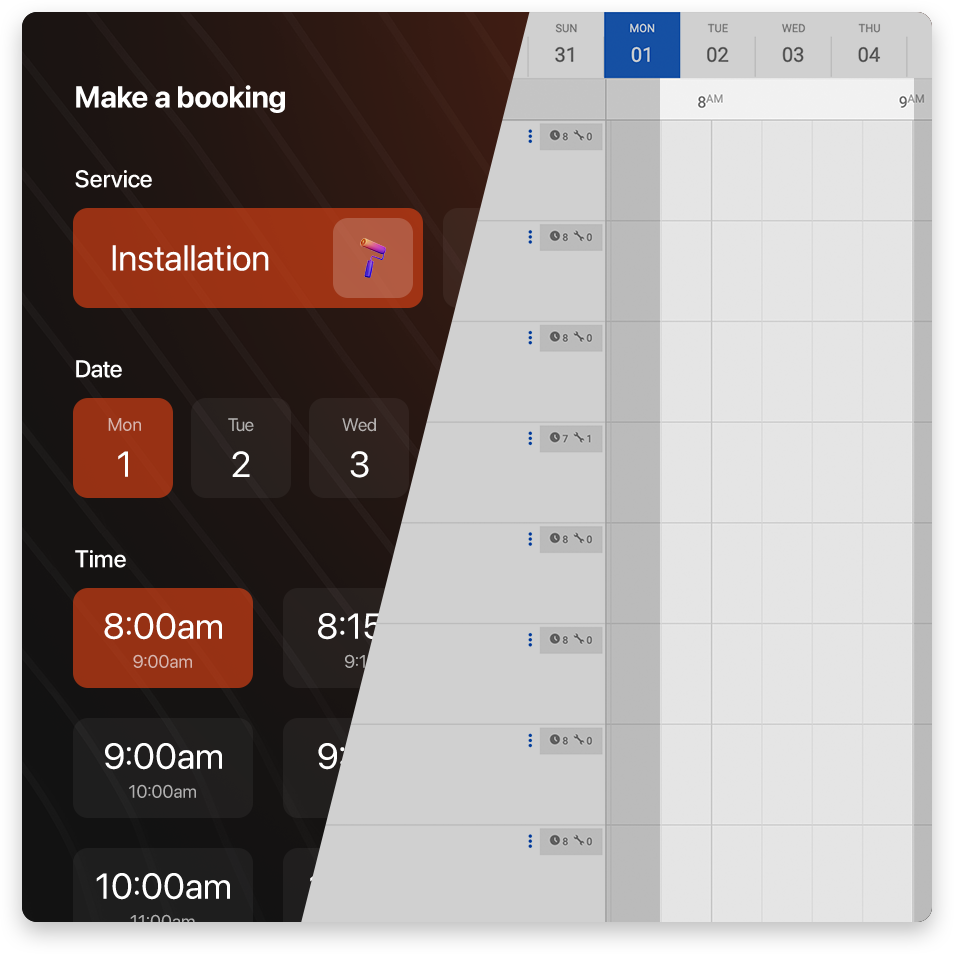
All booking forms are linked to a Simpro calendar.
Every time a date or time is requested, the booking form does a live check with the Simpro calendar.
No more missing or invalid customer data.
Set up rules and formatting for mandatory fields to make sure all data is as relevant as possible.
Google address validation and email lookups help prevent duplicate customers.
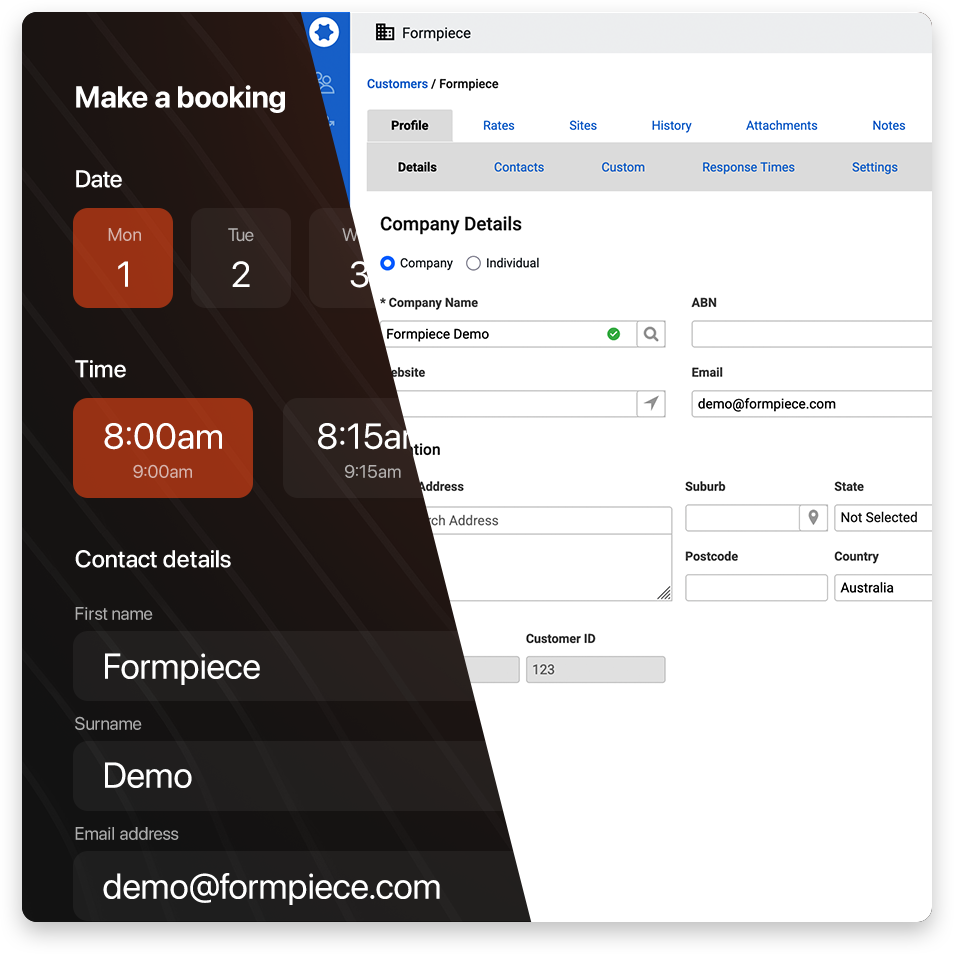
Form settings are based on Simpro workflows. No workarounds required.
Build booking forms with customer friendly services that are linked to Pre-Builds and/or Service Fees.
Let Formpiece do the Simpro heavy lifting in the background once the customer makes a booking.
Reduce the time it takes to find booking availability.
Booking dates and times are directly linked to Simpro staff calendars
Eliminate the need to map fields and additional middleware to transfer form data.
Form fields are based on Simpro fields (and Simpro custom fields).
Use booking forms to create new jobs off Simpro recurring jobs.
Create new jobs as soon as your customers book a time.
Let your customers do the admin work for you!
Projects, schedules, invoices, payments and attachments are all auto-generated without any manual input.
Limit bookings based on location or proximity.
Create location boundaries around services to prevent servicing addresses that are too far away.
Show available times based on staff that are scheduled nearby and keep travel times efficient.
Calendar rules for different use cases.
Set up service availabilities based on time of year, day of week or time of day.
Assign different days and times for staff members.
Create time groups for taking bookings without committing to a specific time.
Set up manual or automatic staff selection for service bookings.
Automatically create schedules for staff members that work on specific services.
Setup pre-paid services to eliminate chasing payments.
Reduce risk and improve cash flow with upfront credit card payments before any Simpro information is created.
Payments can be offered for full amounts or deposit amounts.
No manual data entry required for confirmed payments.
All upfront payments automatically create invoices and payments in Simpro.
Combine your regions and seasons rules to offer dynamic pricing based on customers’ locations and booking times.
Dynamic pricing can be applied to any pre-payments.
Customise your forms for a seamless customer experience.
Embed the forms on your website to maintain the customer experience under your brand.
Customise the form colours and messages to match your brand.
Several options for checking out the forms.
Sign up for a free plan to create a demo form with your Simpro build.
Check out existing working product demos.
We’ll create a Formpiece demo using your business services.
Options for different use-cases.