

Let customers attach photos and PDFs to their AroFlo enquiry
Attachments adds a drop zone to the form for photos and PDFs. Each file is uploaded to AroFlo as a document on the task or quote the enquiry creates.
Before you start
- Attachments need a Lead form subscription. Without one, Allow attachments can't be switched on and the page says "Attachment options are only available to Lead form subscribers."
Step by step
-
Open your form from Forms. If it opens in Form UI, switch to Config. Then open Settings, then Attachments.
-
Turn on Allow attachments.
-
Enter the Minimum number of files. Leave it at 0 to make attachments optional.
-
Enter the Maximum number of files.
-
Click Save.
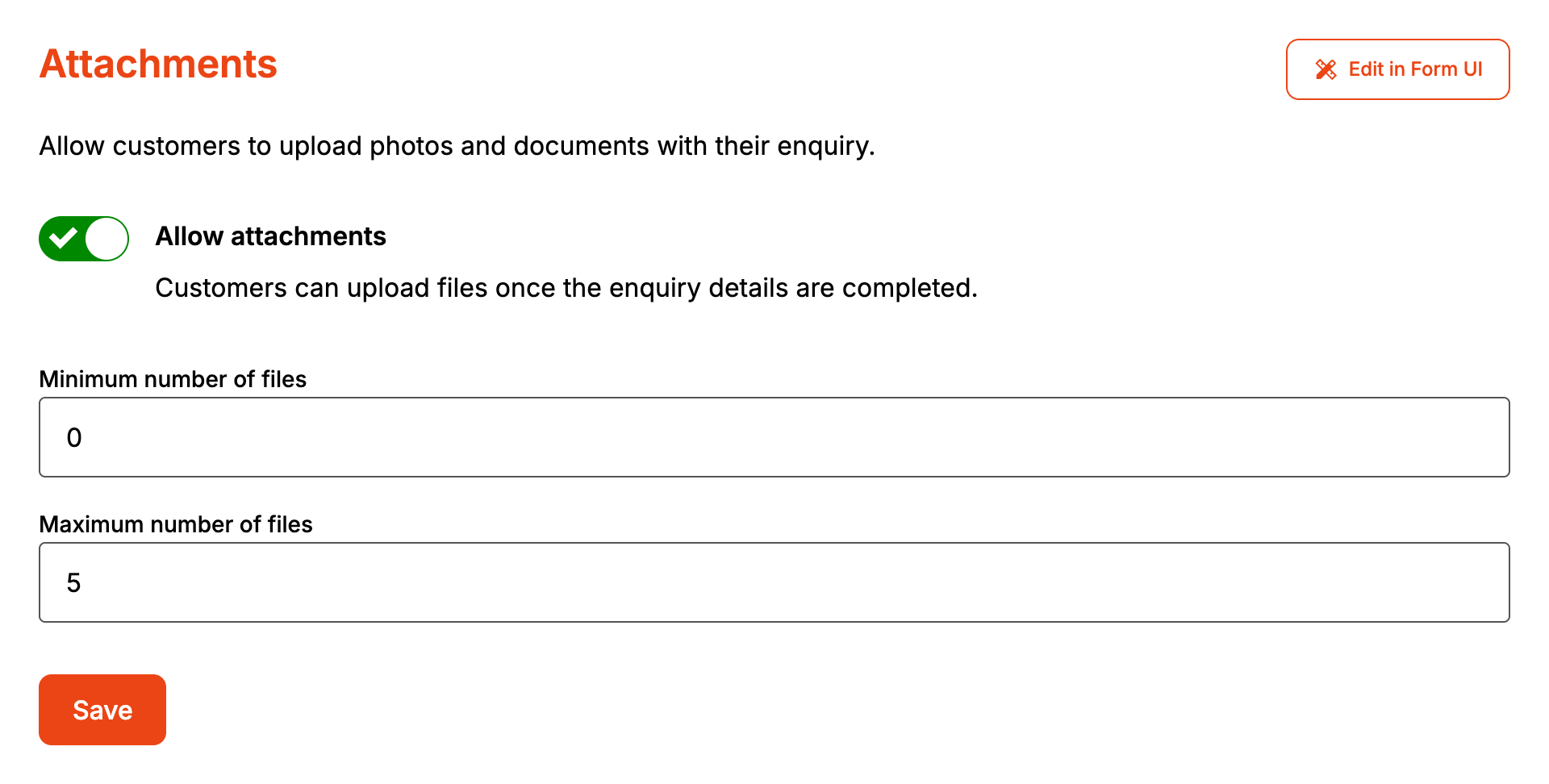
Both boxes take digits only. A maximum below the minimum is saved as the minimum.
On the form, the "Attachments" section comes after "About the Job" and stays locked until every mandatory field above it has an answer. Rename it under Styles, then Headings and labels, then Attachments: Title. The drop zone takes PNG, JPG and PDF files. Other file types are ignored when the customer drops or picks them. The form sets no limit on file size.
How it maps to AroFlo
| On the form | In AroFlo |
|---|---|
| Each file | A document on the task or quote, under the file's own name |
| Document description | "Uploaded with a Formpiece lead enquiry" |
The customer's browser sends the files to Formpiece after the enquiry is saved, before it shows your response message. Formpiece then waits for the task or quote to exist and uploads each file to it. Once AroFlo has a file, Formpiece deletes its own copy.
When it goes wrong
The attachments section doesn't show on the form
- The account has no subscription. Attachments come off the form the next time it's saved without one.
- Allow attachments is off.
- Maximum number of files was saved as 0. The page shows 3 when you reopen it, but the form still has 0. Enter a maximum above 0 and click Save again.
A file shows "Not uploaded" on the enquiry
The enquiry page lists each file under Attachments as "Uploaded" or "Not uploaded". A failed upload doesn't appear under What AroFlo said and doesn't send a failed notification email.
- The task or quote didn't exist yet. Formpiece waits about three and a half minutes for it, then gives up on the file.
- AroFlo refused the upload.
- The customer's browser didn't finish sending the file. The customer still sees your response message.
Send to AroFlo again resends the enquiry but doesn't resend its files. A file that missed its task or quote can't be sent again from the dashboard.
Customers can't send the enquiry
With a minimum above 0, the form says "Please attach at least 1 file." (or the number you set) when the customer clicks Send enquiry with too few files. Adding more than the maximum shows "Only 5 files allowed." with your maximum in place of 5.
FAQ
Can customers upload Word documents or videos?
No. The drop zone only takes PNG, JPG and PDF files.
