

Choose what customers see after sending the AroFlo lead form
Actions decides what the customer sees once the enquiry is sent: a message in place of the form, or a page of your own. Either way the enquiry is saved first. Without changing anything, the form shows "Thank you. We have received your enquiry."
Before you start
- Actions need a Lead form subscription. Without one the page is read only, Save is disabled and the page says "Form response actions are available to Lead form subscribers."
Step by step
-
Open your form from Forms. If it opens in Form UI, switch to Config. Then open Settings, then Actions.
-
To show a message, turn on Show response message and type it in Successful response message.
-
To send the customer to another page, turn on Redirect to another page and enter the full address, starting with
https://, in Redirect URL. -
Click Save.
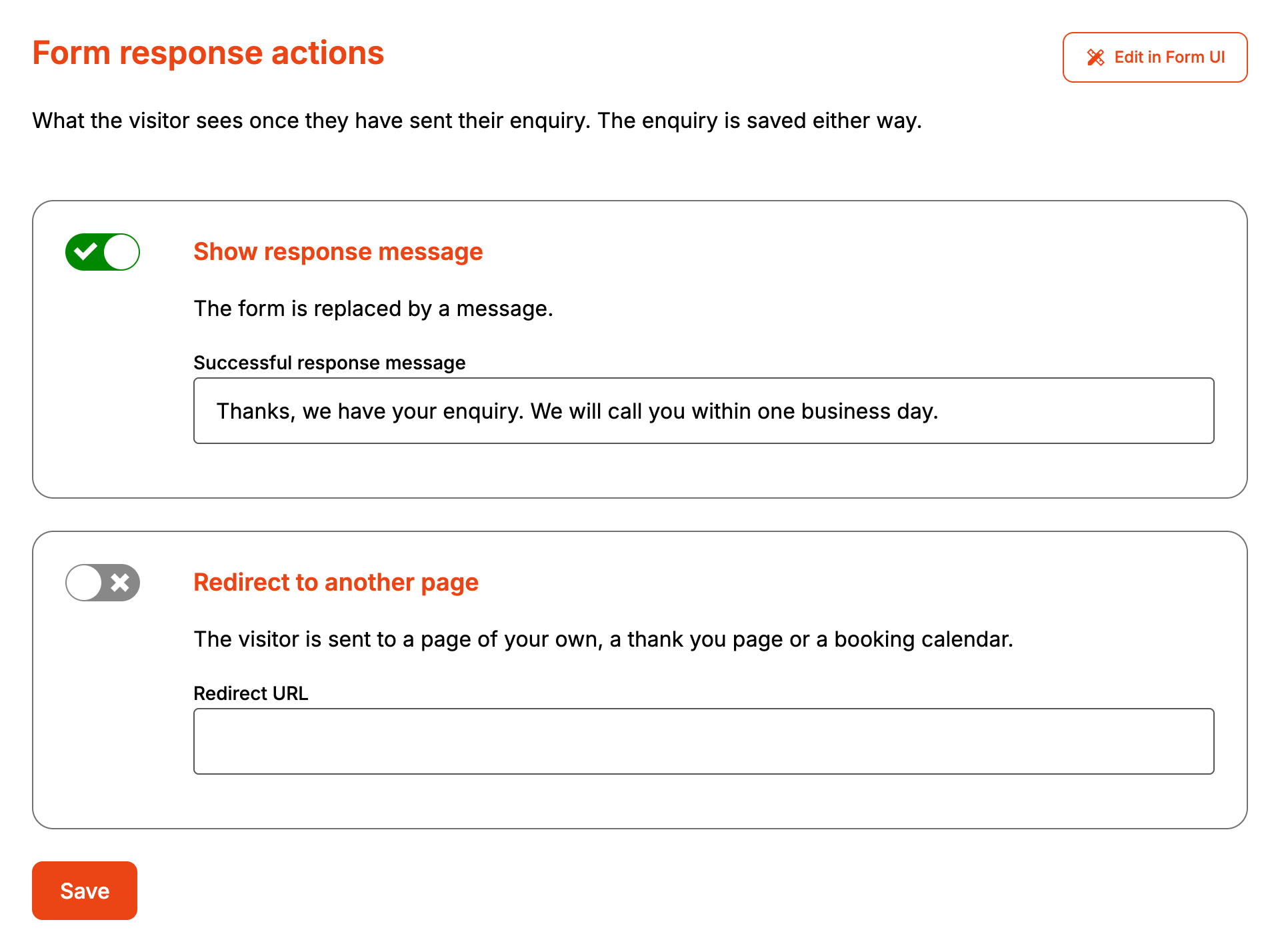
The two switches are one choice. Turning one on turns the other off, and switching off the one that's on does nothing.
The message replaces the form, under the form's name. It shows as plain text, so HTML in it appears as typed. A redirect takes the whole page to the new address once any attachments have finished sending.
When it goes wrong
The message isn't the one I typed
Two things show "Thank you. We have received your enquiry." in place of your message:
- Successful response message is blank. The "Thank you for your enquiry." shown in the empty box is only a placeholder.
- The account has no subscription. The form drops your message and any redirect the next time it's saved without one.
Save won't go through with a redirect
Redirect URL is required while Redirect to another page is on, and the browser only
accepts a full address. Add https:// to the start.
The redirect stopped working
Saving the form while the account has no subscription turns the redirect off. A form set to redirect with no URL, which Form UI allows, shows the message instead. Form UI flags it as "Redirect chosen with no URL set".
Customers see an error instead of the message
Formpiece didn't accept the enquiry. The error shows above the form, with everything the customer typed still in place, and Send enquiry tries again.
