

Put the form on your website with the embed code
The Embed tab gives you two lines of code that draw the form on a web page. Paste them once. After that, every change you save in the dashboard reaches the page without touching the code again.
Before you start
- Save the form at least once. A new form isn't published until its first save on any page, and until then the embed code draws nothing.
- You need to be able to edit the HTML of the page the form goes on.
Step by step
-
Open your form from Forms and click the Embed tab.
-
Click Copy code.
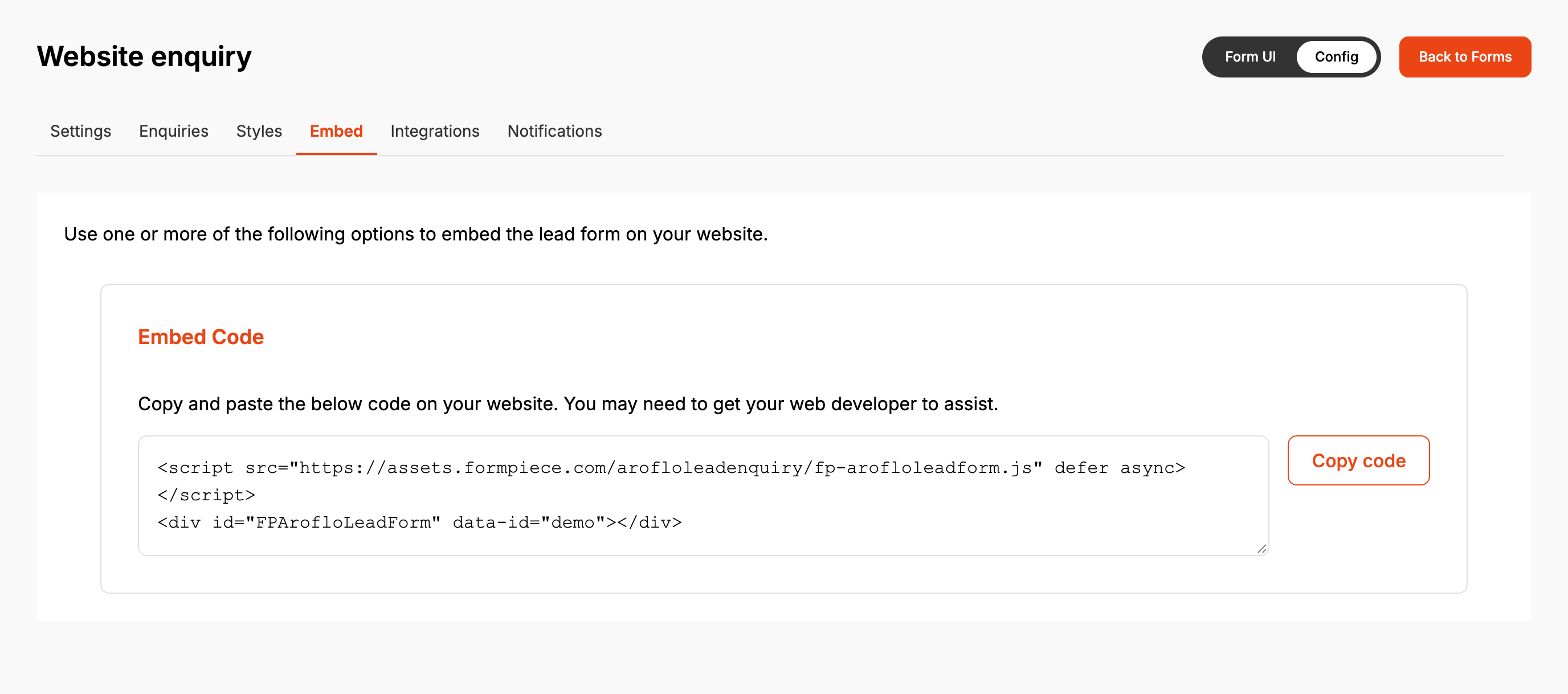
-
Paste the code into the page's HTML where the form should appear.
-
Publish the page and open it to check the form loads.
The first line loads the form. The second is where it is drawn, and its data-id is your form's
ID, which tells the code which form to show.
Saving on any page of the form publishes it: the Settings pages, Styles, Integrations, Notifications and Save in Form UI. There is no separate publish step. Customers see the change the next time they load the page.
When it goes wrong
Nothing appears where I pasted the code
- The form has never been saved. Open it, change nothing, and click Save on Properties.
- The form is archived. Archiving takes it off your website. Unarchiving publishes it again from its current settings.
- The page editor removed the
<script>line. The form can't load without it.
Only one of two forms on the same page shows
The code draws its form in the first element with the id FPArofloLeadForm, so a second copy on
the same page stays empty. For more than one form on a page, include the <script> line once
and give each form a <div> with the class FormpieceArofloLeadForms and its own form ID:
<div class="FormpieceArofloLeadForms" data-id="FIRST-FORM-ID"></div>
<div class="FormpieceArofloLeadForms" data-id="SECOND-FORM-ID"></div>
A copied form doesn't show
A duplicated form starts unpublished. Save it once, then use its own embed code.
FAQ
Is there a link I can send customers to the form?
No. The form only runs inside a web page that has the embed code.
Does embedding need a subscription?
No. The Embed tab is the same on every plan.
