

Sync AroFlo lead enquiries to Podium contacts
With Podium sync on, each enquiry is written onto a Podium contact after its task or quote is created in AroFlo. Formpiece finds the contact by phone number or email address, creates one when there is no match, and fills the Podium contact fields you map from the form's answers.
Before you start
- Podium sync needs a lead form subscription. Without one the form's Podium page says "Podium sync is only available to Lead form subscribers."
- The account needs a Podium credential, created from Integrations.
- Turn on, under Settings, the form fields you want to send. Only fields the form collects can be mapped.
Step by step
-
Open AroFlo Leads, then Settings, then Podium.
-
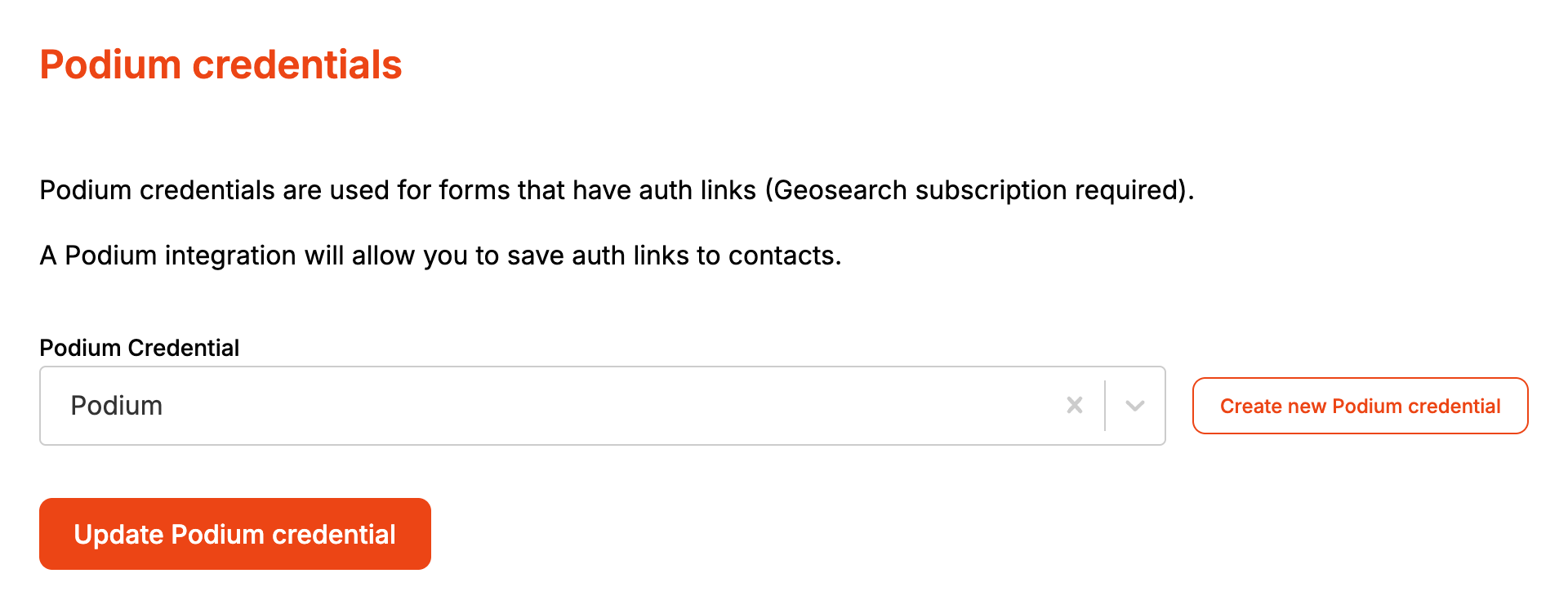
Pick the credential under Podium Credential, or click Create new Podium credential to add one.
-
Click Update Podium credential.
-
Open the form from Forms and click its Integrations tab. Podium opens.
-
Switch on Sync enquiries to Podium.
-
Under Location, pick the Podium location new contacts are added to.
-
Click Add field.
-
Pick the Form field on the left and the Podium contact field it fills on the right.
-
Repeat for each field you want to send. Remove takes a row away.
-
Click Save.
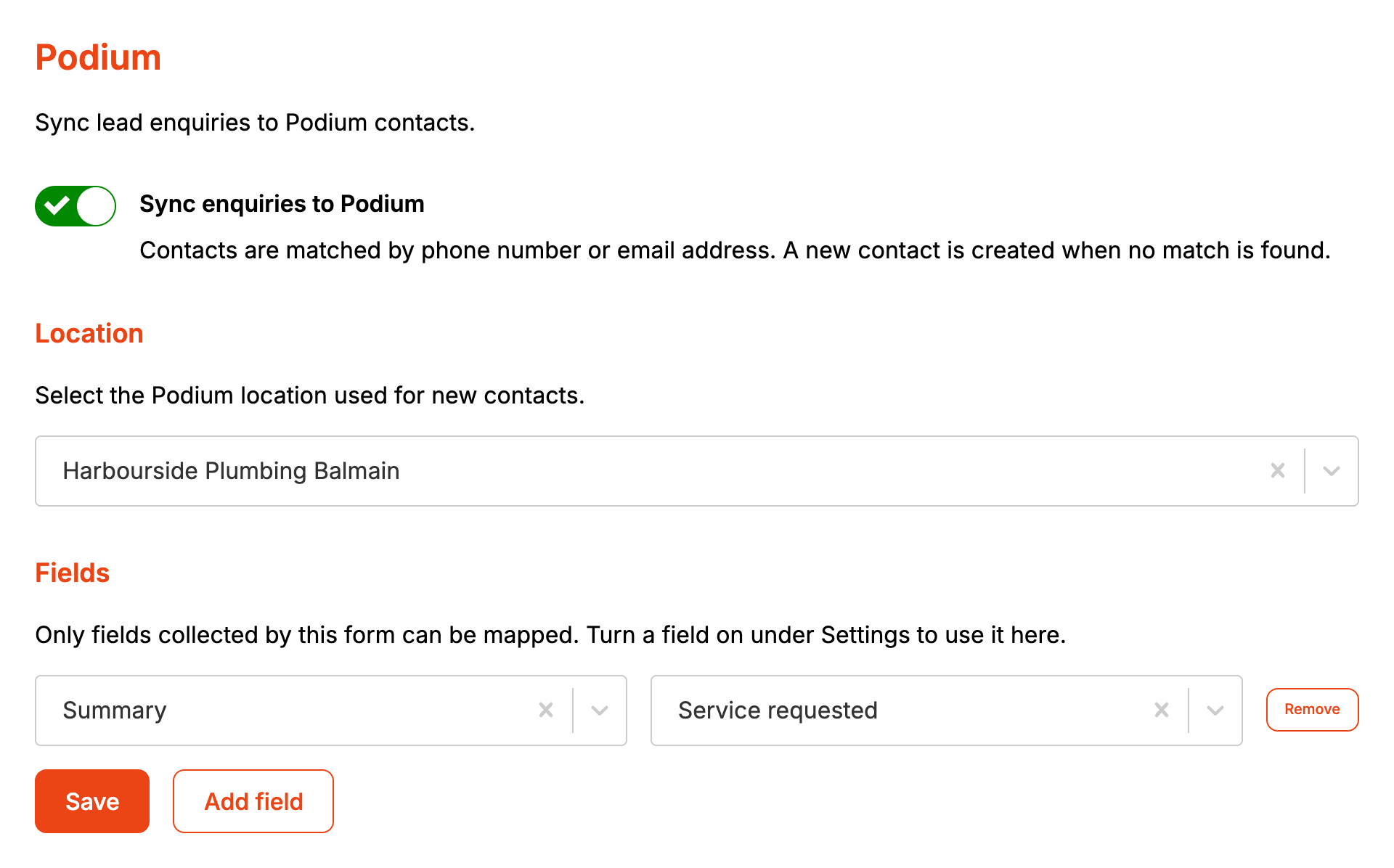
Saving publishes the form. A row with only one side picked is dropped when you save. With no rows, only the contact is created or matched.
The Podium credential is the account's, so every form that syncs uses it. The location and the field mapping belong to each form.
What lands on the Podium contact:
| From the enquiry | On the Podium contact |
|---|---|
| Client phone number, else client mobile number, else client email address | What the contact is matched on |
| Client first name and surname, or the company name when there is no name | Name of a new contact |
| Client phone number or mobile number, and email address | Phone and email of a new contact |
| Location on the form's Podium page | Location of a new contact |
| Each mapped Form field | The Podium contact field it is mapped to |
Phone numbers are sent to Podium in international format. A local number such as 0412 345 678 is read as Australian. A number Formpiece can't put into international format is skipped, and the email address is used instead.
The location Address field sends the whole address in one value: unit, street number, street, city, state and postcode. When two form fields are mapped to the same Podium contact field, their answers are joined with a space.
Without a location picked on the form, Formpiece uses the first location in Podium.
When it goes wrong
"A Podium credential is required before enquiries can be synced."
The account has no Podium credential selected. Click Choose a Podium credential, pick one and click Update Podium credential.
"Podium is not enabled on this account."
Podium isn't switched on for your Formpiece account, so there is no Podium credential to create.
A form field I want isn't in the list
The list only has the form's switched on fields. Turn the field on under Settings and save the form. Custom fields can't be mapped.
"No locations were found in Podium."
Formpiece couldn't read any locations with the Podium credential. Check the credential under Integrations.
A failed enquiry didn't reach Podium
Podium sync runs after the task or quote is created. An enquiry that never reached AroFlo isn't synced until you send it again from Enquiries and it succeeds.
An enquiry reached AroFlo but not Podium
A Podium problem never stops the enquiry, and it isn't shown on the enquiry page. Check that the account's Podium credential is still selected and that the enquiry has a client phone number or email address in a form Podium accepts.
Sync stopped when the subscription ended
Formpiece checks the subscription when each enquiry is sent. Without one, nothing is written to Podium, whatever the switch on the form says.
FAQ
Does the contact's own phone and email get used?
No. Matching and new contacts use the client's details. Contact fields can still be mapped to Podium contact fields.
Is a duplicated or imported form already syncing?
A duplicate keeps the Podium settings. An exported form leaves out the sync switch and the location, so an imported form starts with sync off and keeps only the field mapping.
