

Name the form and choose its AroFlo business unit
Properties holds the form's name, the description customers read on the form, your own notes about it, and the AroFlo business unit that tasks and quotes from this form are raised under.
Before you start
- The business unit list is read live from AroFlo, so the account needs an AroFlo credential. Without one the page says "An AroFlo credential is required to load business units." See AroFlo credentials.
- Turning the Formpiece logo off needs a subscription.
Step by step
-
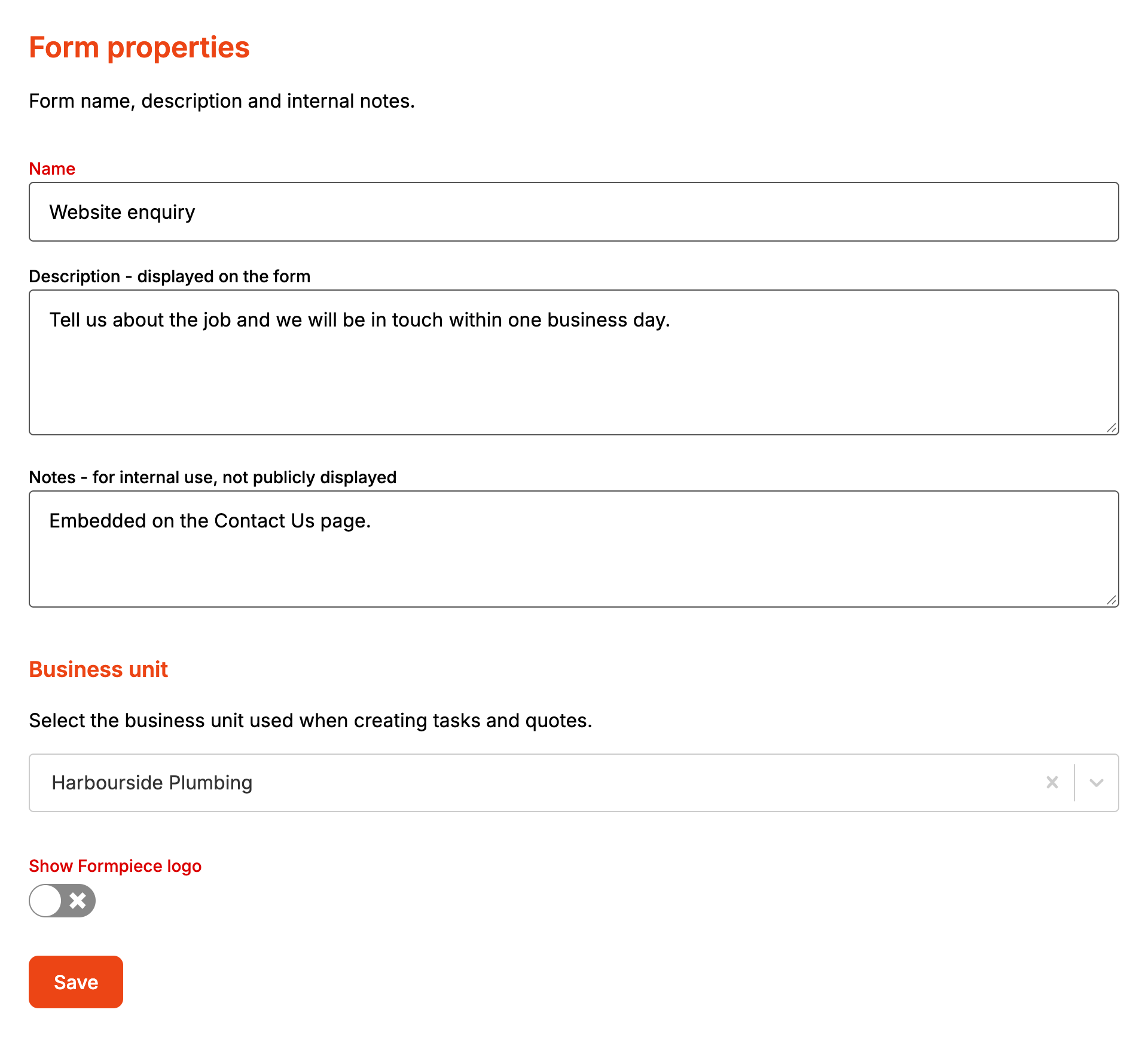
Open your form from Forms. If it opens in Form UI, switch to Config. Then open Settings, then Properties.
-
Type a Name. Save stays greyed out until the name is at least three characters.
-
In Description - displayed on the form, write what the customer should read on the form. Each line becomes its own paragraph.
-
In Notes - for internal use, not publicly displayed, add anything your team needs to know about this form.
-
Under Business unit, pick the business unit for tasks and quotes.
-
If you have a subscription and don't want the logo at the foot of the form, switch Show Formpiece logo off.
-
Click Save.
Saving publishes the form, so the next customer to load it sees the new description.
How it maps to AroFlo
| Setting | In AroFlo |
|---|---|
| Business unit | The business unit of the task or quote, and of any new client the enquiry creates |
| No business unit picked | The task or quote gets the first business unit AroFlo lists for the account. A new client is sent without one |
| Name, description, notes, logo | Nothing. They stay in Formpiece |
When it goes wrong
"Business units could not be loaded"
AroFlo's own message shows in bold above "Business units could not be loaded. Check the credential on the AroFlo settings page." "The AroFlo API could not be reached." means the call never got an answer. Anything else came from AroFlo. AroFlo API tokens have an expiry date, so check the credential's token is still current.
An enquiry failed with a businessUnitId error
Open the enquiry from Enquiries. Under "What AroFlo said", the error has a Fix Business Unit button that opens this page. Pick a business unit, click Save, then go back to the enquiry and click Send to AroFlo again.
The logo switch won't turn off
It needs a subscription. Without one the page says "This option can only be turned off if you have a subscription." If a subscription ends, the logo comes back the next time the form is saved.
"This form was saved somewhere else after you opened this page."
Someone saved the form in another tab or on another computer after you opened this page. Reload the page to pick up their changes, then make yours again.
