

Set the timezone and time intervals for lead bookings
A lead booking lets the customer choose a service and a visit time on the form. Formpiece then adds a schedule for that visit to the new Simpro lead. This page holds the settings every booking on the form shares.
Nothing on this page turns bookings on. The form shows its Services and date and time sections once at least one service has a staff calendar switched on. You add the service under Services, which sets the visit length and schedule notes. You add the staff who take it under Calendars, which also decides the dates and times offered. Time Group Windows is optional and lets customers pick a window such as morning in place of an exact time.
Before you start
- Lead bookings need a Lead form subscription. Without one, Save on this page stays greyed out, and the published form leaves out services, times and these settings.
- Find out whether your Simpro schedule format is set to 15 or 30 minutes.
Step by step
- Open your form from Forms. If it opens in Form UI, switch to Config. Then open Settings, then Bookings.
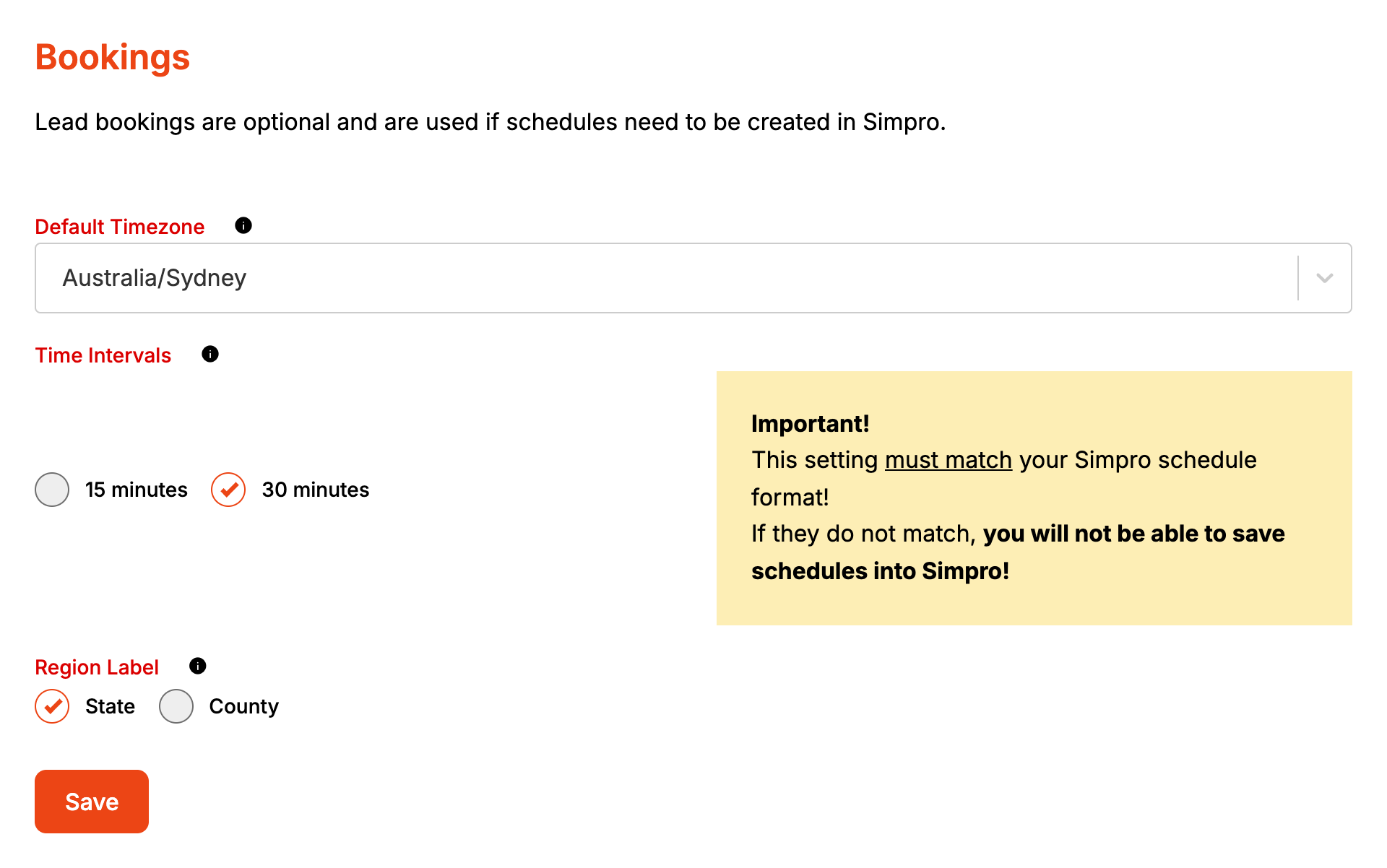
- Pick your business's timezone from Default Timezone.
- Under Time Intervals, pick 15 minutes or 30 minutes to match your Simpro schedule format. This is the gap between the start times the form offers.
- Pick State or County under Region Label.
- Click Save.
Saving publishes the form, so the next customer gets the new settings.
How it maps to Simpro
| Setting | Where it goes |
|---|---|
| Default Timezone | Sets today's date for the lead's Follow Up Date and for date lead custom fields. With none saved, Formpiece uses Australia/Sydney |
| Time Intervals | The step between start times on the form. Each schedule starts on one of these times |
| Region Label | Nothing in Simpro |
Booked times go to Simpro exactly as the customer picked them. The timezone doesn't shift them.
When it goes wrong
Schedules aren't being saved into Simpro
The dashboard warns that Time Intervals must match your Simpro schedule format, or Simpro won't take the schedules. Start times also count on from each staff member's Start Time in Calendars, so 8:15 with 30 minute intervals gives 8:15, 8:45 and so on. Keep start times on the interval too.
When Simpro refuses a schedule, the lead is still created without it. Open the enquiry from Enquiries and the Schedule field under Integration is empty. Anyone added under Notifications, then Failed notifications gets an email with Simpro's reason (Notification recipients).
Save is greyed out
The account has no Lead form subscription. The page doesn't show a message saying so.
The lead's follow-up date is a day out
Default Timezone is wrong or was never saved. The follow-up date counts from today's date in this timezone, and Australia/Sydney is used when none is saved.
FAQ
Does the timezone change the times customers see?
No. The form works out today's date from the visitor's own device, and the time they pick goes to Simpro as it is.
Can customers send an enquiry without booking a time?
Yes. Picking a service or a time is never required. Without a time, the lead is created with no schedule.
