

Add the services customers can book a site visit for
A service is what the customer books, such as "Quote visit". It sets how long the schedule on the Simpro lead runs and the notes written on it. The service name only appears on the form, and Simpro isn't told which one was picked. Put the service in Schedule Notes if your team needs to see it on the schedule.
Before you start
- Services need a Lead form subscription. Without one, Add Service is hidden, the list shows No services found. and Save is greyed out.
- Set Time Intervals under Bookings first. The visit length should be a multiple of it.
Step by step
- Open your form from Forms. If it opens in Form UI, switch to Config. Then open Settings, then Services.
- Click Add Service.
- Enter a Name. Customers see it on the service button.
- Add Schedule Notes if the schedule in Simpro should carry instructions for the visit.
- Enter Scheduled minutes, the length of the visit. Include travel time, because the form only offers a time when this whole length is clear of the staff member's other Simpro schedules.
- Click Create Service. The service joins the list but isn't saved yet.
- Click Save.
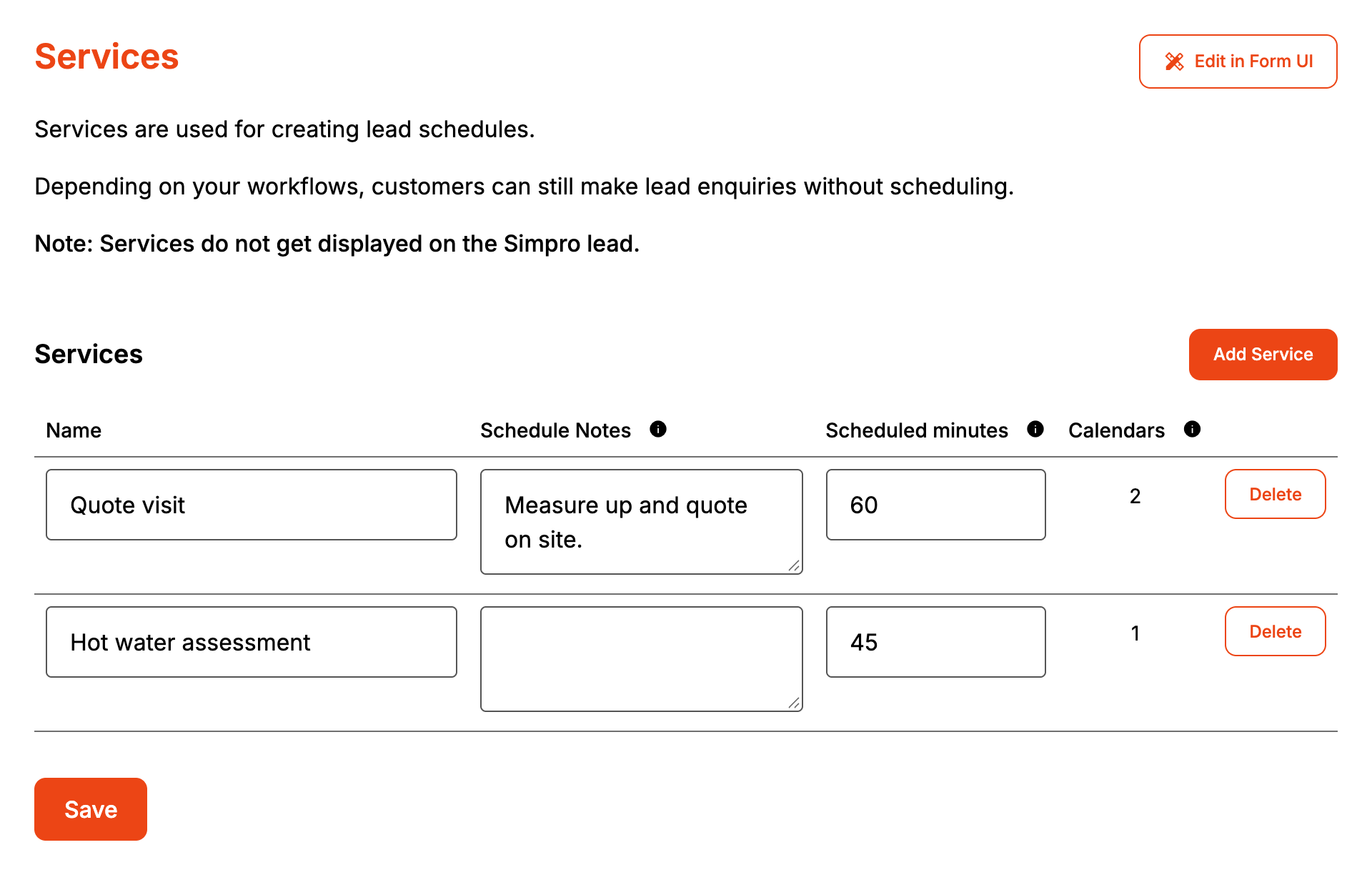
A new service has no staff, so it stays off the form until you switch on a staff calendar for it under Calendars. The Calendars column counts every staff calendar added to the service, including any switched off.
To change a service, edit its row and click Save. Delete asks you to confirm, and the service goes when you click Save, along with its staff calendars and team members.
How it maps to Simpro
| Setting | In Simpro |
|---|---|
| Name | Nothing. It is the button the customer picks on the form |
| Schedule Notes | The notes on the lead schedule, and on each additional team member's schedule |
| Scheduled minutes | The schedule's length. The end time is the start time plus these minutes, rounded up to the next 15 minutes |
When it goes wrong
A service doesn't show on the form
It has no staff calendar switched on under Calendars. Only services with at least one switched-on staff calendar are published.
A new service is missing from the Calendars page
The Calendars page lists the services the form had when you opened it. Reload the page after saving a new service.
Schedule end times are off the Simpro schedule format
Keep Scheduled minutes to a multiple of Time Intervals. Formpiece only rounds the length up to the next 15 minutes, so a 45 minute service on 30 minute intervals books 9:00 to 9:45.
The schedule starts and ends at the same time
Scheduled minutes was left blank, which saves as 0.
FAQ
Is this the same as the service choice from Cost Centres?
They are two separate choices on the form. The Cost Centres choice sets the lead's cost centre. A booking service sets the schedule's length and notes, and which staff can take it. It never changes the cost centre.
Can I change the order services appear in?
No. They appear on the form in the order they were added.
