

Choose the Simpro credential your lead forms use
Every lead form on the account sends its enquiries through the one Simpro credential chosen here. The credentials themselves live on Integration Credentials (Connecting Simpro with Formpiece). This page picks which one lead forms use.
The page warns "Changing the Simpro credentials will reset all form settings!". Nothing on your forms is reset or changed. Switching only changes which credential the next enquiry is sent through. What does break is switching to a credential for a different Simpro build: each form still points at the company, cost centres, statuses, staff and custom fields it was set up with, and those belong to the old build. Go through every form's settings and pick them again.
Before you start
- The account needs a Simpro credential. Until it has one the page shows only its introduction, with no list to pick from. Create one on Integration Credentials, or through Getting started.
Step by step
- Click Settings in the lead form menu. Simpro Credentials opens first.
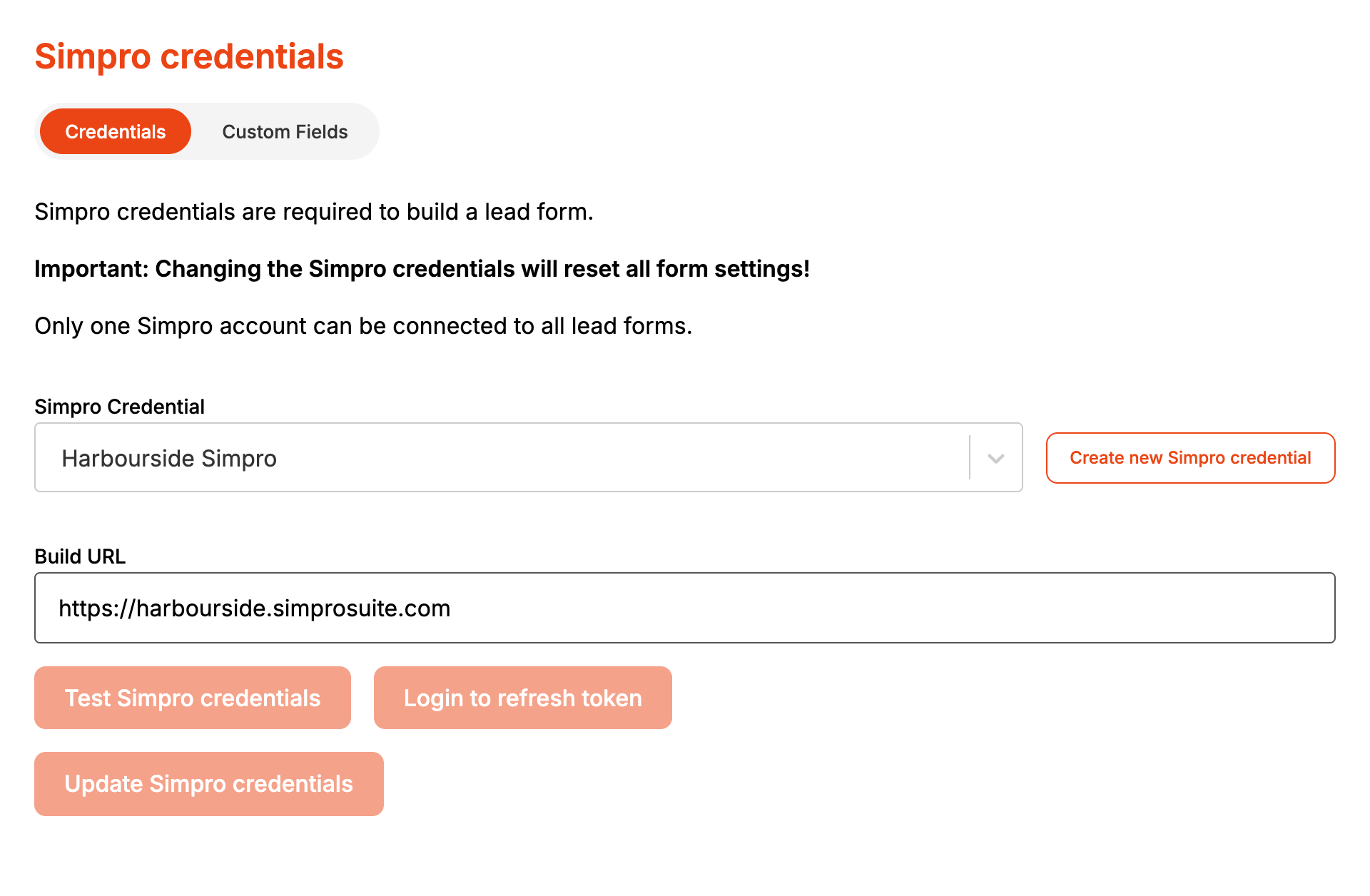
- Pick the credential from Simpro Credential. Create new Simpro credential next to it opens Integration Credentials to make another.
- For a credential that uses an API key, correct the Build URL or API Token if needed. For one that uses a Simpro login, Build URL is read only.
- Click Update Simpro credentials. "Simpro credentials updated" confirms it.
- Click Test Simpro credentials. It asks Simpro for the credential's companies and shows "Simpro API credentials are valid." or "Simpro API credentials are NOT valid."
A Build URL or API Token edited here is saved onto the credential itself, so anything else in Formpiece using that credential changes with it.
Login to refresh token saves the page the same way Update Simpro credentials does. It doesn't sign you in to Simpro. To reconnect a credential that uses a Simpro login, open it on Integration Credentials and click Log in to Simpro to refresh tokens.
Once a credential is chosen, Custom Fields next to Credentials lists the Simpro custom fields lead forms can collect, under Customer, Site and Lead. It shows the first Simpro company until you pick another. Used by forms counts the lead forms that collect each field, and Show archived fields adds the archived ones. The list is read only here. To add or change a field, click Manage Simpro Custom Fields. Collecting custom fields on a form needs a Lead form subscription.
When it goes wrong
Test says the credentials are NOT valid after you changed the token
Test Simpro credentials checks the credential as it is saved. Click Update Simpro credentials first, then test.
Enquiries fail with "No Simpro credentials are set for lead forms."
No credential has been chosen here. Pick one and click Update Simpro credentials.
Enquiries fail with "The Simpro credentials set for lead forms could not be found."
The chosen credential was deleted from Integration Credentials. Pick another one here.
Enquiries fail with "The Simpro connection could not be refreshed"
The credential uses a Simpro login and the connection has lapsed. Login to refresh token on this page won't fix it. Reconnect on Integration Credentials with Log in to Simpro to refresh tokens.
Properties says "Please check your Simpro integration settings!"
Simpro returned no companies for the credential chosen here. Test it on this page and correct it on Integration Credentials.
Custom Fields says "Simpro answered, but returned no companies for this connection."
The credential reaches Simpro but can't see a company. Check the Simpro API application has access to at least one company, then click Try again.
FAQ
Can different lead forms use different Simpro credentials?
No. One credential serves every lead form on the account. A form can still save to a different company within that Simpro build, set on its Properties.
Does changing this affect my booking forms?
Choosing a credential here only changes lead forms. Editing its Build URL or API Token changes the credential, which affects anything else that uses it.
