

Choose the Simpro company and cost centre for a lead form
Properties decides where leads land: the Simpro company, and the cost centre a lead gets when the customer doesn't pick one. The rest of the form's settings menu only appears once the form has a company.
Before you start
- Simpro must be connected (Connecting Simpro with Formpiece). An empty Company list means the Simpro connection needs fixing.
- The cost centre has to exist in the Simpro company you pick.
Step by step
-
Open your form from Forms. If it opens in Form UI, switch to Config. Properties is the first page under Settings.
-
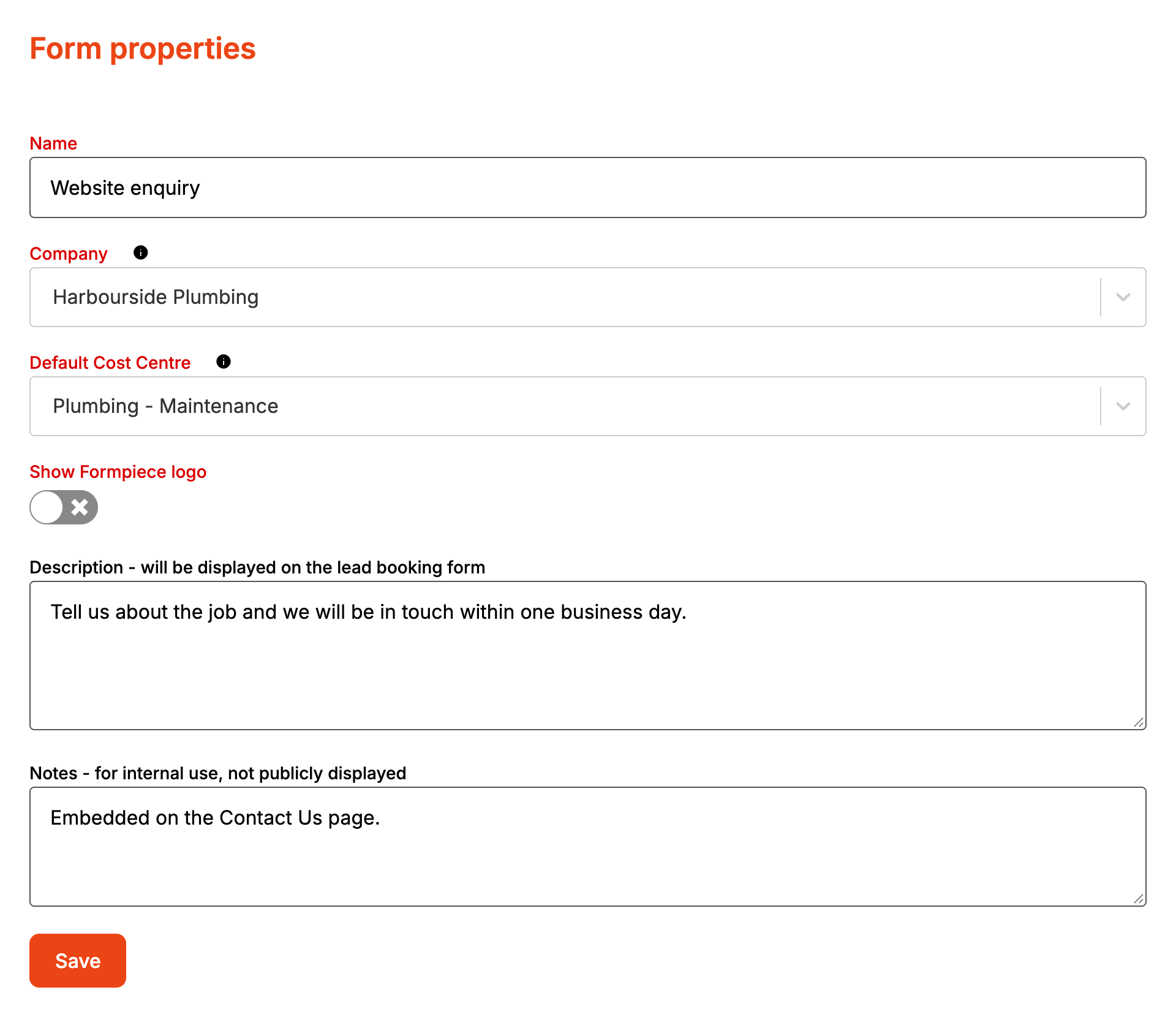
Enter a Name of at least five characters. It is the heading on the form, so name it for customers.
-
Pick the Company leads should be saved to.
-
Pick the Default Cost Centre. The list only loads once a company is chosen.
-
Add a Description if the form needs a line of explanation under the heading. Leave it empty otherwise.

-
Use Notes for anything your team needs to know about the form. Customers never see them.
-
Click Save. It stays greyed out until the name, company and default cost centre are all set.
How it maps to Simpro
| Setting | Where it goes |
|---|---|
| Company | Every customer, site and lead the form creates is in this company |
| Default Cost Centre | The lead's cost centre, unless the customer picks a service on the form |
| Name, Description | The form's heading and intro. Nothing in Simpro |
| Notes | Kept in Formpiece only |
| Show Formpiece logo | Shown on the form only |
When it goes wrong
Save won't go
One of three things is missing: a name of five characters or more, a company, or a default cost centre.
Leads are landing in the wrong company
Changing Company only affects enquiries from then on. Leads already created stay where they are. Check the cost centre after a change too, because cost centres belong to a company.
I can't turn off the Formpiece logo
Show Formpiece logo can only be turned off with a subscription. This is what it adds to the bottom of the form:

FAQ
Can one form save to two Simpro companies?
No. A lead form saves to one company. Use a second form for another company.
