

Find, create and delete lead forms
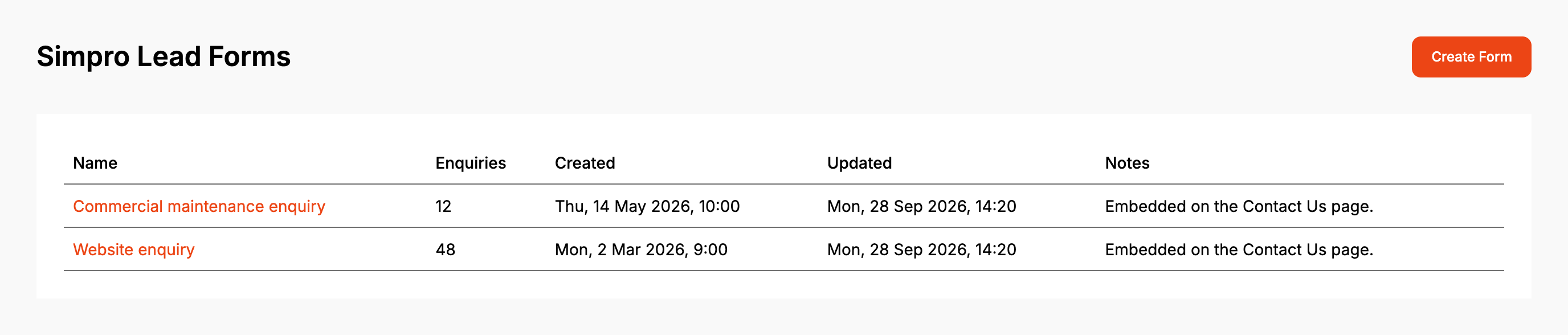
Forms lists every lead form on the account in name order. Click a name to open the form. It opens in Config, or in Form UI if that is where you last left it in this browser. Enquiries is how many enquiries the form has taken, with a dash for none. Updated is when its settings were last saved, and Notes shows the internal notes from Properties.
Before you start
- Create Form needs a Lead form subscription. Without one it is greyed out with "Only available with a subscription", and the account keeps the one form it has.
- With no forms at all, Forms shows Getting started in place of the list (Create your first Simpro lead form).
Step by step
-
Open Forms and click Create Form.
-
On New Lead Form, enter a Name of at least five characters. No other lead form can have the same name.
-
Pick the Company.
-
Pick the Default Cost Centre.
-
Click Save. The form gets its own page, and the rest of its settings and tabs appear.
To delete a form, click Delete on its row, then Delete again to confirm. The button only shows on a form with no enquiries, and only while the account has more than one form. A deleted form stops showing on any website it is embedded on.
When it goes wrong
"Could not save form" when creating a form
The usual cause is a name another lead form already uses. Change the Name and click Save again.
There's no Delete button on a form
The form has taken at least one enquiry, or it is the only form on the account.
"Form not deleted"
The message gives the reason, for example "This form cannot be deleted. It has 1 enquiry against it." The form took an enquiry after the list loaded. The list reloads with the new count.
Create Form isn't there
It only shows once the account has a form. Use Getting started for the first one.
FAQ
Can I archive a lead form?
No. Lead forms can't be archived, and a form with enquiries can't be deleted, so it stays on the list. To stop it taking enquiries, remove it from your website, whether it went on with the embed code or the Formpiece WordPress plugin.
Can I copy a lead form?
No. Lead forms have no duplicate option. Create a new form and set it up.
