

Send lead enquiries to Podium contacts
With Sync to Podium on, each enquiry from the form creates a Podium contact, or updates the contact that already has the customer's phone number or email. The customer's name, phone and email always go across. Field Mapping adds other form fields to Podium contact custom fields.
Before you start
- Podium needs a Lead form subscription. Without one the form's Podium page shows Lead form subscription required and nothing is sent.
- You need a Podium credential. Create one under Integration Credentials, where Login with Podium signs you in to Podium.
- Your Podium account needs at least one text custom field on contacts. Until it has one, the form's Podium page shows No Podium fields available. and has no Sync to Podium switch.
Step by step
-
In the lead form menu, click Settings, then Podium.
-
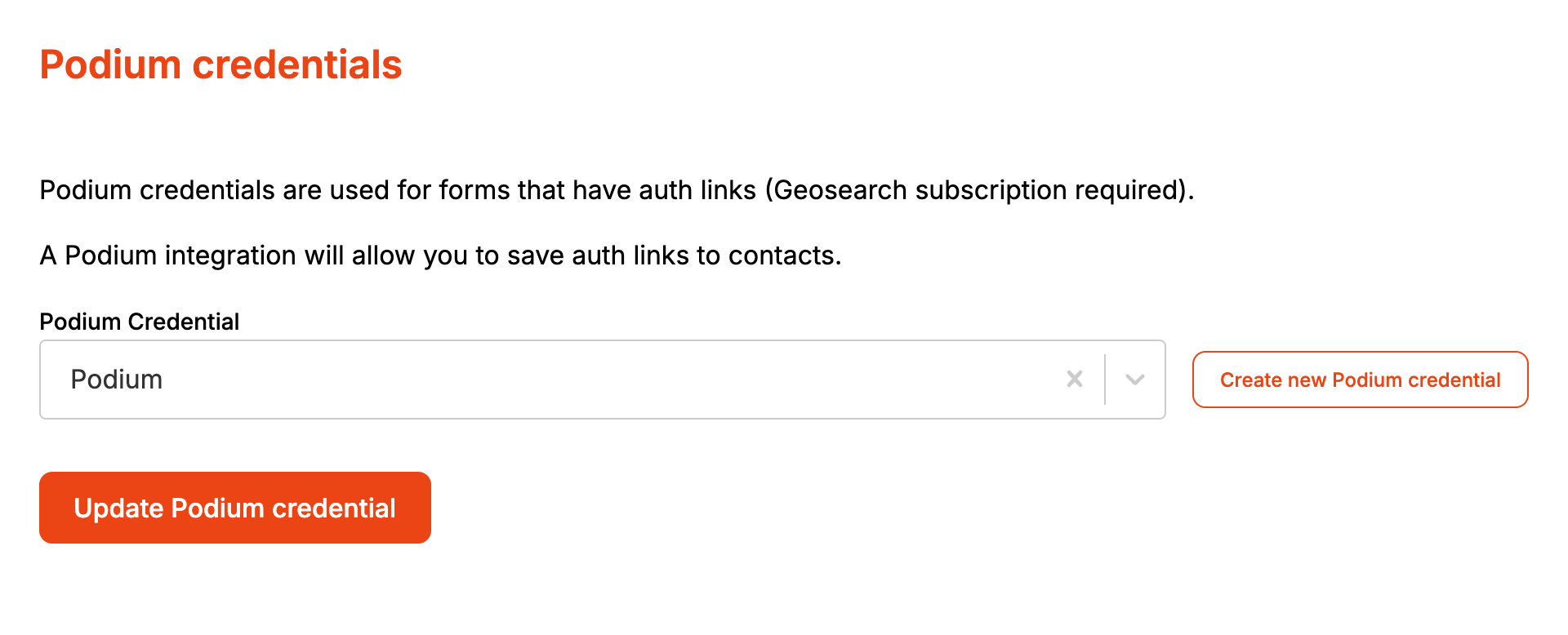
Pick your credential in Podium Credential and click Update Podium credential. Every lead form on the account uses this credential.
-
Open your form from Forms and click the Integrations tab. It's there whether the form opened in Form UI or Config, and it opens on Podium.
-
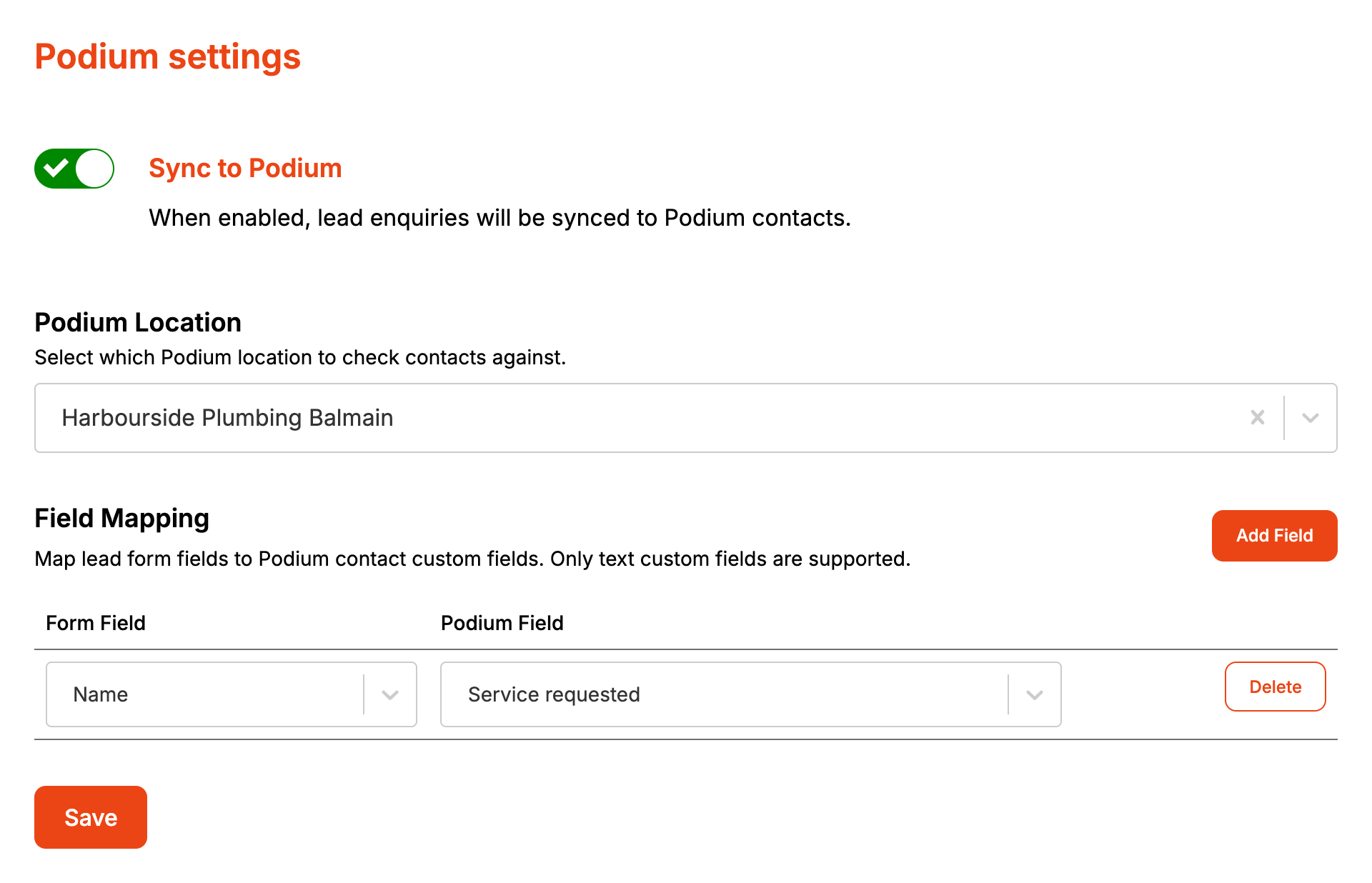
Turn on Sync to Podium.
-
Pick a Podium Location, or leave it clear to use the default.
-
To send another field, click Add Field, choose a form field and a Podium field, and click Add. Repeat for each field.
-
Click Save.
How it maps to Podium
| From the enquiry | In Podium |
|---|---|
| First Name and Surname, or Company Name when there's no name | Contact name |
| Phone Number | Contact phone, turned into an international number using the form's timezone |
| Email Address | Contact email |
| Podium Location | The location a new contact is created in |
| A mapped form field | The Podium custom field it's mapped to |
Formpiece looks the contact up by phone number, or by email when the phone number can't be turned into an international number. With neither, nothing is sent to Podium. A contact it finds has its name, phone and email replaced with what the customer entered.
With Podium Location left clear, Formpiece uses the location stored on the Podium credential, or the first location Podium lists if none is stored.
The form field list has these groups. Apart from Lead ID and the booking fields, a field only appears while it's switched on in the form.
- Site Fields: the site fields and site custom fields. Address sends the whole address: street, city, postcode and state.
- Lead Fields: Lead ID (the Simpro lead's ID), the lead fields and lead custom fields.
- Customer Fields: customer custom fields. The standard contact fields already go across.
- Booking Fields: Booking Date, written like "Tue, 14th Oct 2026", and Booking Time. These are only filled when the customer books a time.
Two form fields mapped to the same Podium field arrive in it joined by a space.
Podium is updated after the lead is created in Simpro. If Simpro refuses the customer, site or lead, nothing goes to Podium.
When it goes wrong
There's no Sync to Podium switch
The Podium page shows why. Lead form subscription required means the account has no Lead form subscription. Podium integration required means no credential is chosen on the Podium settings page, and Go to Podium settings takes you there. No Podium fields available. means Podium has no text custom fields on contacts. Add one in Podium and reload the page. If it also says Could not get Podium contact fields, Formpiece couldn't reach Podium with the credential. Open it under Integration Credentials and click Login to Podium.
The Podium Credential list is missing
The settings page only shows the list once a Podium credential exists, and Update Podium credential stays greyed out until then. Create the credential under Integration Credentials first.
An enquiry didn't reach Podium
Check the customer gave a phone number or email Podium can use, and that the lead was created in Simpro. Formpiece doesn't record Podium errors on the enquiry. If Podium has signed Formpiece out, open the credential under Integration Credentials and click Login to Podium.
A customer's name changed in Podium
An enquiry updates the matching contact with the name, phone and email typed on the form, even when the contact already had different ones.
A mapped Podium field is empty
Only Podium text custom fields can be mapped. A field switched off in the form sends nothing, and its mapping row shows a blank form field. Delete the row or pick another field, then Save.
FAQ
Can each form use a different Podium account?
No. The credential is set once on the Podium settings page and every lead form uses it. Each form can pick its own Podium Location.
Does Formpiece add a note or message in Podium?
No. It creates or updates the contact and fills the mapped custom fields.
