

Add a terms and conditions checkbox to your lead form
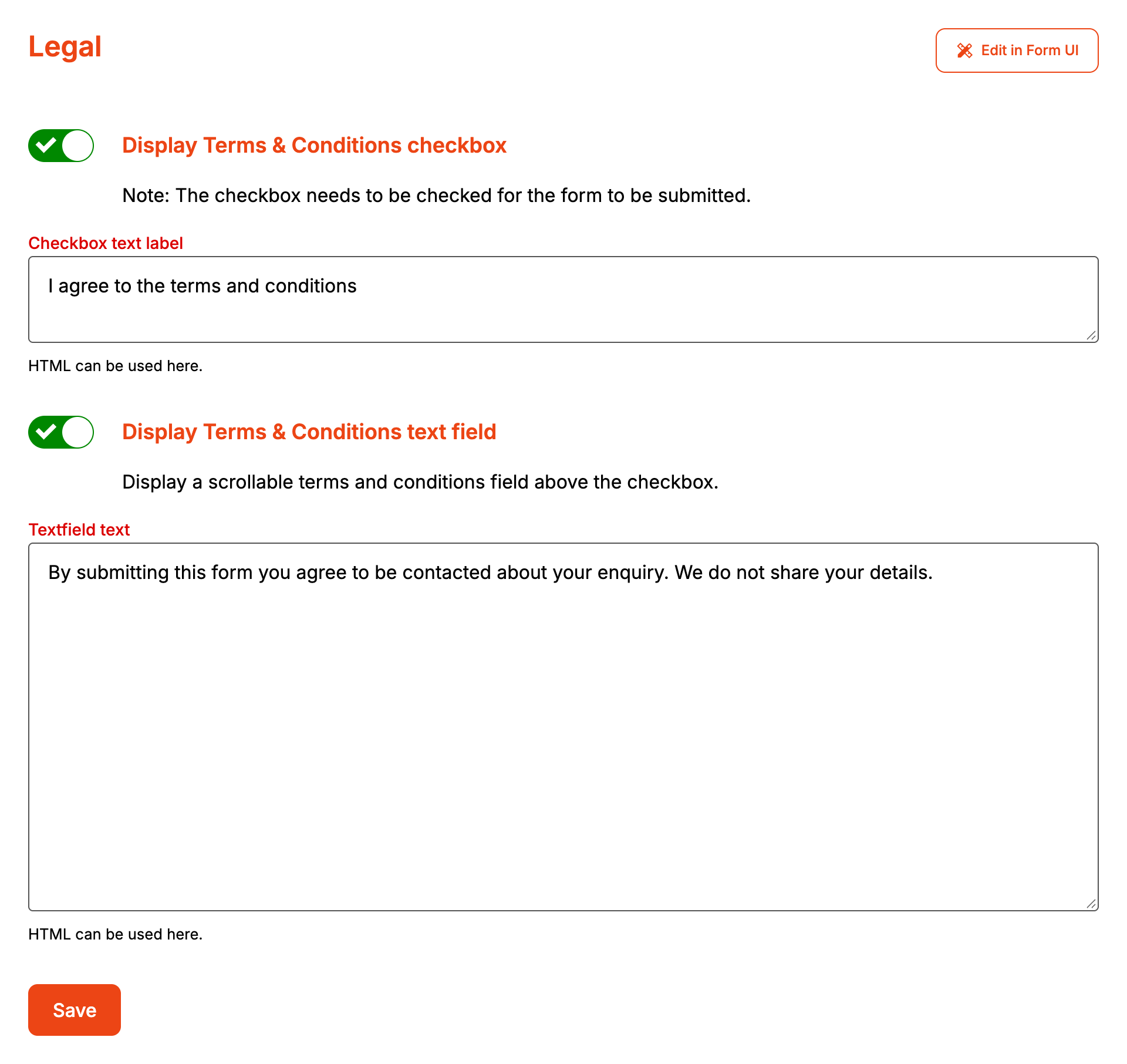
Legal puts a terms and conditions checkbox at the end of the form. The customer can't send the enquiry until it's ticked. You can also show the terms themselves in a scrolling box above the checkbox. Legal works on every plan.
Step by step
-
Open your form from Forms. If it opens in Form UI, switch to Config. Then open Settings, then Legal.
-
Turn on Display Terms & Conditions checkbox.
-
Type the wording next to the checkbox in Checkbox text label. It takes HTML, so you can link to your terms page:
I agree to the <a href="https://example.com/terms" target="_blank">terms and conditions</a>. Thetarget="_blank"opens the link in a new tab, so the customer doesn't leave a half-filled form. -
To show the terms on the form, turn on Display Terms & Conditions text field.
-
Paste your terms into Textfield text. This takes HTML too.
-
Click Save.
On the form, the checkbox comes after every other field, attachments included. The terms box sits above it, keeps the line breaks you type and scrolls once the text is taller than 250 pixels.
When it goes wrong
Save won't go through
Checkbox text label is required while the checkbox is on. Textfield text is required while both switches are on. Fill them in, or switch off the part you don't want.
The terms box doesn't show on the form
The box only shows together with the checkbox. Turn on Display Terms & Conditions checkbox as well, and check Textfield text isn't blank.
Customers say the form won't send
The checkbox is required. Confirm enquiry stays clickable while it's unticked, but the browser stops the submission and points the customer at the checkbox.
FAQ
Is the customer's agreement recorded anywhere?
Formpiece stores the tick with the enquiry. It doesn't appear under Enquiries or in the notification emails, and nothing about it is sent to Simpro. The form can't be sent with the box unticked, so every enquiry sent while the checkbox is on had it ticked.
