

Let customers attach photos and PDFs to an enquiry
Attachments puts an upload area on the form for PNG, JPG and PDF files. Formpiece adds each file to the Simpro lead once the lead exists.
Before you start
- Attachments need a Lead form subscription. Without one the Allow attachments switch and Save are greyed out, and the form has no upload area.
Step by step
- Open your form from Forms. If it opens in Form UI, switch to Config. Then open Settings, then Attachments.
- Turn on Allow attachments.
- Enter Minimum Qty - set to zero for optional attachments.
0lets customers send the form without a file. - Enter Maximum Qty. It has to be at least
1for the upload area to show. - Click Save.
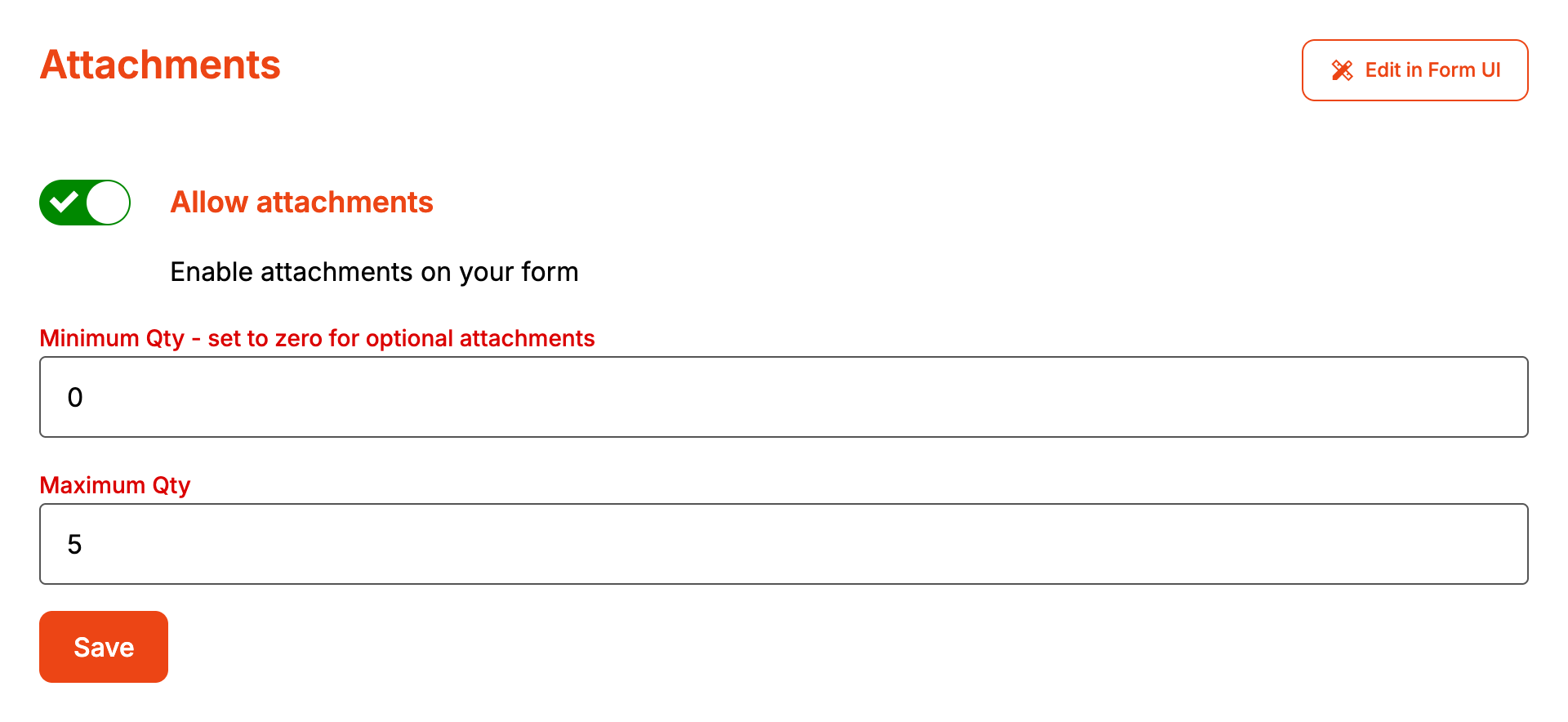
Saving publishes the form, so the next enquiry uses the new settings.
The upload area sits under the "Attachments" heading and opens once the contact, address and enquiry details are complete. Rename it under Styles, then Headings and labels, then Attachments: Title.
How it maps to Simpro
| On the form | In Simpro |
|---|---|
| Each file | A file in the lead's attachments, with the name it had on the customer's device |
The customer's browser uploads the files to Formpiece after the enquiry is sent. About 90 seconds later, Formpiece adds each one to the Simpro lead. If the lead doesn't exist yet, it waits three more minutes and checks again. If there is still no lead, the file is marked as failed and never reaches Simpro.
Each file shows Uploaded or Not uploaded on the enquiry under Enquiries.
When it goes wrong
The form has no upload area
Check that Allow attachments is on, Maximum Qty is above 0 and the account has a Lead form subscription. If all three are right, the customer hasn't finished the contact, address or enquiry details yet.
Save says "Minimum attachments is greater than maximum attachments"
Lower Minimum Qty - set to zero for optional attachments or raise Maximum Qty.
A customer can't add a file
The form only takes PNG, JPG and PDF files. A file with the same name as one already added is skipped. Adding files that would take the total over Maximum Qty adds none of them, and the form says, for example, "Only 5 files allowed."
Customers can't send the form without a file
Minimum Qty - set to zero for optional attachments is above 0. The form says "Please attach at
least 1 file." until the customer adds enough. Set it to 0 to make files optional.
The enquiry says Not uploaded
Give it a few minutes first. If it still says Not uploaded, the lead wasn't created in time (the enquiry shows Simpro's error) or the customer's browser couldn't upload the file. The customer sees the thank you message either way, so they won't know to send the file again.
FAQ
Is there a file size limit?
Formpiece doesn't set one.
Are the files in the notification email?
No. The email lists the enquiry details. The files only go to the lead in Simpro.
