

Connecting AroFlo with Formpiece
Formpiece connects to AroFlo with an API token you create in AroFlo. The token is saved as an AroFlo credential under Integration Credentials, and the AroFlo lead forms use it to create clients, locations, contacts, tasks and quotes in your AroFlo account.
Before you start
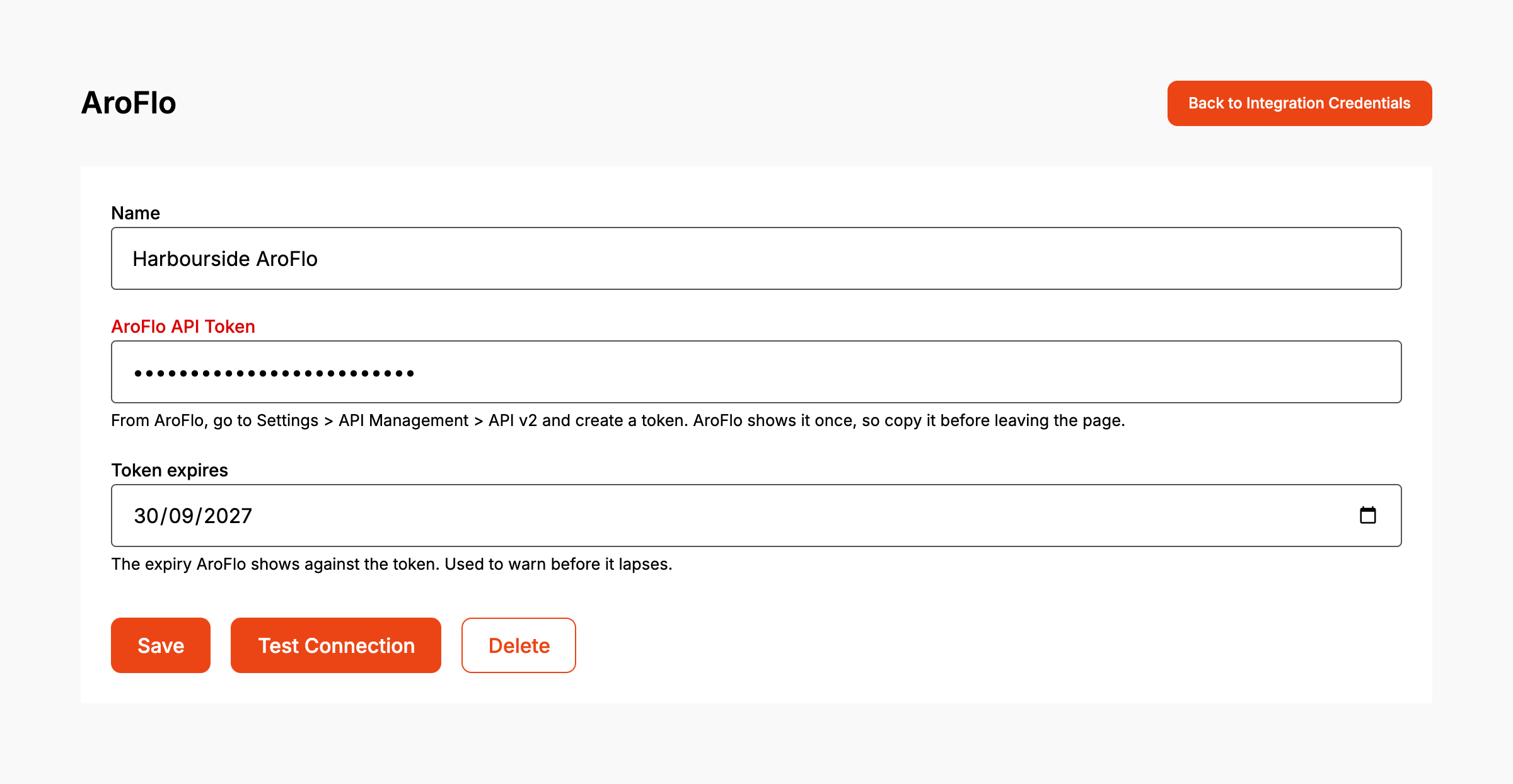
- You need access to AroFlo's API settings to create a token. The dashboard's help reads: "From AroFlo, go to Settings > API Management > API v2 and create a token. AroFlo shows it once, so copy it before leaving the page."
- Note the expiry date AroFlo shows against the token. Formpiece uses it to warn you before the token lapses.
Step by step
-
On the left menu, open Integration Credentials.
-
Click Create Integration Credential.
-
Under Select Integration, pick AroFlo.
-
Give the credential a Name you'll recognise, such as the AroFlo account it belongs to.
-
Paste the token into AroFlo API Token.
-
Enter the Token expires date from AroFlo.
-
Click Save. The page reopens as the saved credential, with Test Connection and Delete beside Save.
-
Click Test Connection. Formpiece asks AroFlo for one business unit with the token. "AroFlo accepted this token." means it works.
The AroFlo lead forms use the credential chosen under AroFlo Leads, then Settings, then AroFlo Credentials. See choosing the credential your AroFlo lead forms use.
When it goes wrong
Save is greyed out
AroFlo API Token is empty. Paste the token in.
"AroFlo rejected this token. It may have expired or been revoked."
AroFlo turned the token down. Create a new token in AroFlo, paste it over the old one, update Token expires, then click Save and Test Connection again.
The credential shows "This token expires in" a number of days
The warning appears within 30 days of the Token expires date. Nothing renews an AroFlo token, so forms stop sending to AroFlo the day it lapses. Create a new token in AroFlo before then and paste it in.
"This token has expired."
The Token expires date has passed. Enquiries can't reach AroFlo until a new token is saved. Create one in AroFlo, paste it in and click Save.
